



Getting traffic is only half the equation. Converting that traffic into paying customers is where the real work — and the real money — is. This guide covers what CRO means, how to measure it, and 12 actionable tactics to improve your Shopify store’s conversion rate.
What Is CRO?
CRO stands for Conversion Rate Optimization — the process of improving your website so that a higher percentage of visitors take a desired action, whether that’s making a purchase, adding to cart, or signing up for your email list.
Instead of spending more on ads to drive more traffic, CRO focuses on getting more value from the traffic you already have. It’s one of the highest-ROI activities an ecommerce store can invest in.
How to Calculate Your Conversion Rate
Conversion Rate Formula:
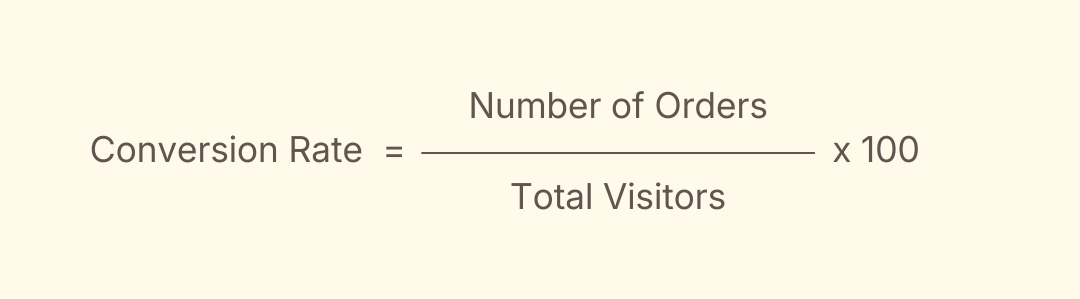
For example, if your store gets 5,000 visitors in a month and 125 of them make a purchase, your conversion rate is 2.5%.
What’s a good conversion rate?
The average ecommerce conversion rate is typically between 2.5% and 3%, according to Shopify. If you’re consistently below 2%, there’s likely meaningful room for improvement. If you’re above 3%, you’re performing well — but there’s always room to optimize further.
Keep in mind that conversion rates vary significantly by industry, product type, traffic source, and price point. A store selling $15 phone cases will naturally convert differently than one selling $500 furniture.
12 CRO Tactics for Your Shopify Store
1. Audit Your Funnel and Find Drop-Offs
Before optimizing anything, you need to know where you’re losing customers. Every Shopify store has a conversion funnel:
Homepage → Product Page → Add to Cart → Checkout → Purchase
Use Shopify Analytics to track each step and identify where the biggest drop-off happens. Here are rough benchmarks to compare against:
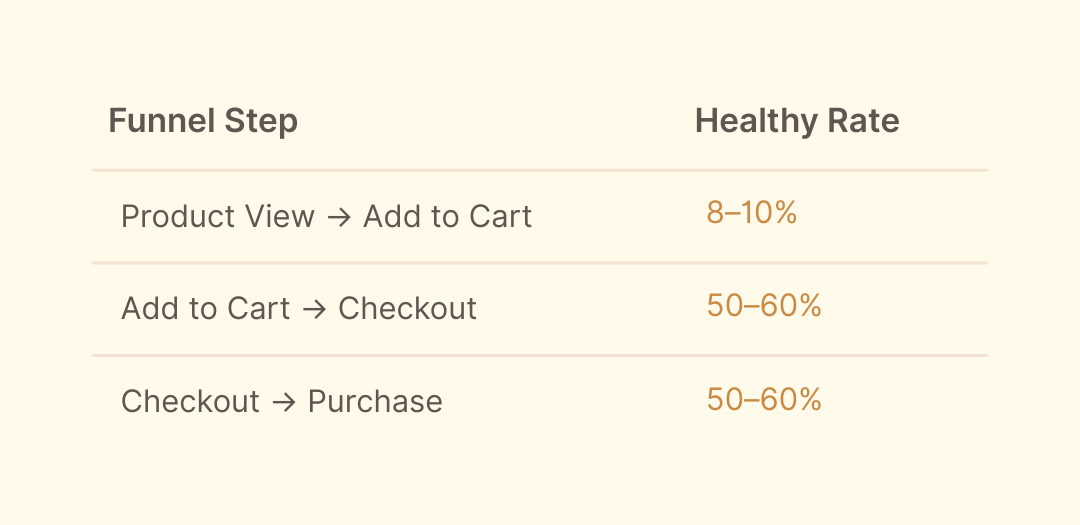
If your Add to Cart rate is only 2–3% while your checkout-to-purchase rate is healthy, the problem is on your product pages — not your checkout. If customers are adding to cart but abandoning checkout, the issue might be shipping costs, payment options, or trust.
Find the weak link first. That’s where your CRO effort should begin.
Pro-tip for your CRO audit
You can’t optimize what you can’t measure accurately. A meaningful share of Shopify stores are already auditing a broken picture — iOS 14 restrictions and ad blockers routinely strip out purchase events before they ever reach Meta or TikTok, which means the funnel drop-off you’re diagnosing might be a tracking gap, not a real conversion problem.
Zotek Facebook Pixel TikTok Pixel fixes this at the source with server-side Conversion API (CAPI) tracking, so Add to Cart, Checkout, and Purchase events get recorded even when browser-based pixels get blocked — the same fix merchants reach for when Meta Ads ROAS drops, or COD orders stop showing up as conversions. It’s rated 5.0 by 150+ Shopify merchants, sets up in about 2 minutes with no code, and the free plan already includes full store tracking with one Conversion API integration — enough to get clean data flowing before you start testing anything else on this list.
2. Optimize Your Product Pages
Your product page is where the buying decision happens. A mediocre product page can kill conversions even for a great product.
- Use high-quality visuals. Multiple angles, zoom capability, and short product videos help customers imagine owning the product. Avoid generic mockup images from dropshipping suppliers — use real product photography whenever possible.
- Write benefit-driven copy. Instead of just listing specifications like “100% cotton,” say “Soft, breathable fabric perfect for all-day comfort.” Lead with benefits, follow with specs.
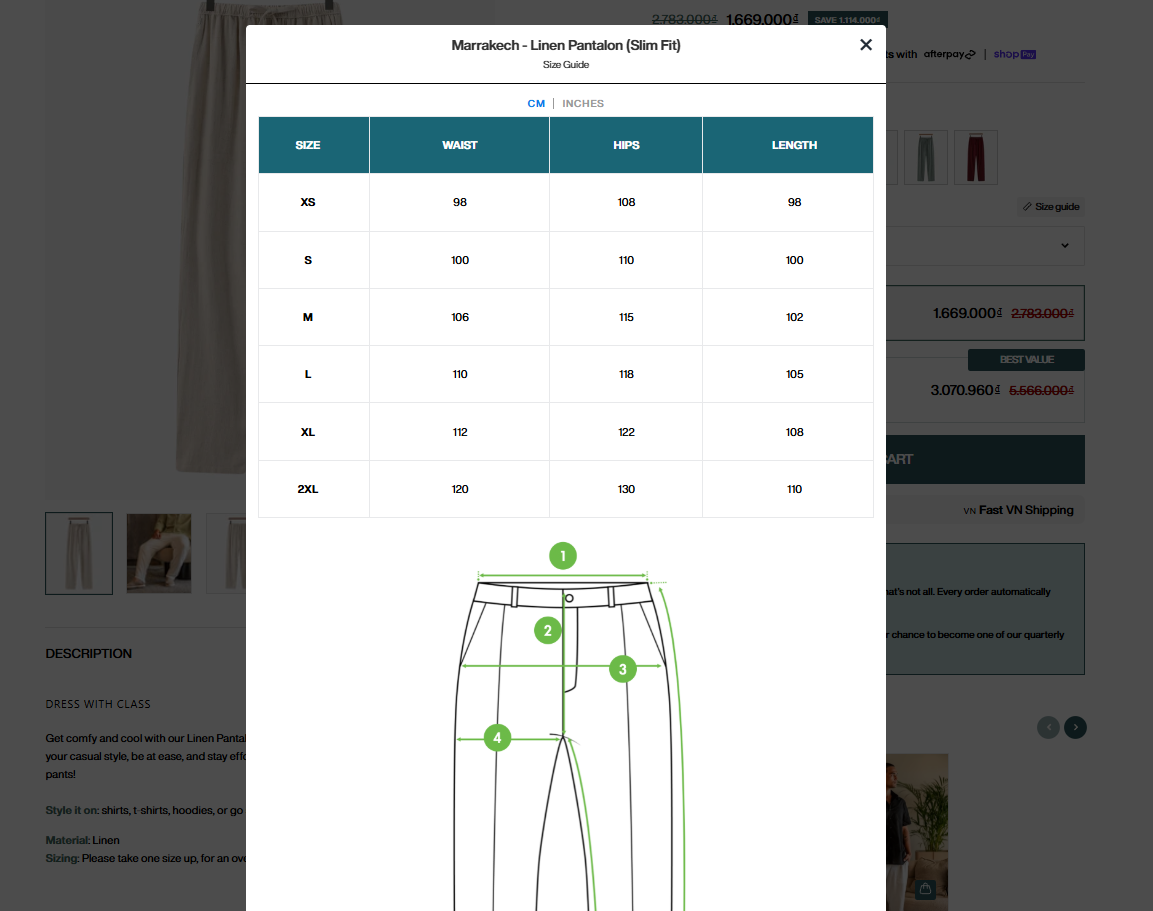
- Answer the “why” question. Every product page should clearly communicate what makes this product special and why a customer should buy it from you instead of somewhere else.Include practical details. Sizing guides, care instructions, dimensions, ingredients — whatever reduces uncertainty and helps customers feel confident in their purchase.
3. Add Urgency and Incentives
Sometimes customers just need a nudge. They like the product, they’ve added it to cart — but they leave to “think about it” and never come back.
- Use time-sensitive offers. Limited-time discounts or countdown timers create a reason to buy now instead of later. Keep them honest — fake urgency erodes trust fast.
- Offer a first-order incentive. 10% off for first-time buyers or free shipping over a threshold can push hesitant shoppers to complete their purchase.
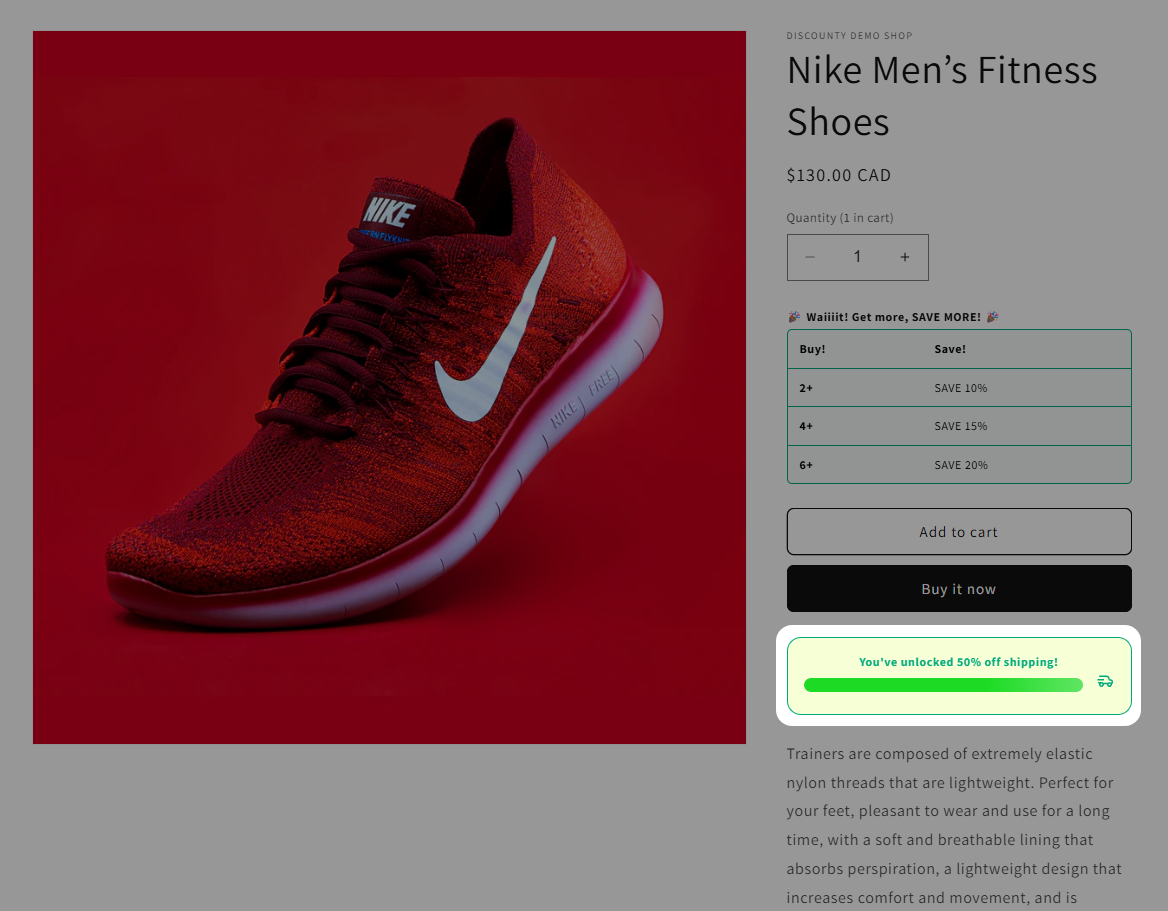
- Make free shipping visible. If you offer free shipping, make sure it’s prominently displayed — not buried in the FAQ. Shipping cost is one of the top reasons for cart abandonment.
4. Build Trust with Customer Reviews
No matter how attractive your store looks, customers won’t buy if they don’t trust you. Trust is one of the most powerful — and most underrated — CRO levers.
Studies show that 99.9% of online shoppers read reviews before buying. Products with authentic reviews convert significantly better than those without. But it’s not just about having reviews — it’s about making them visible at every key touchpoint.
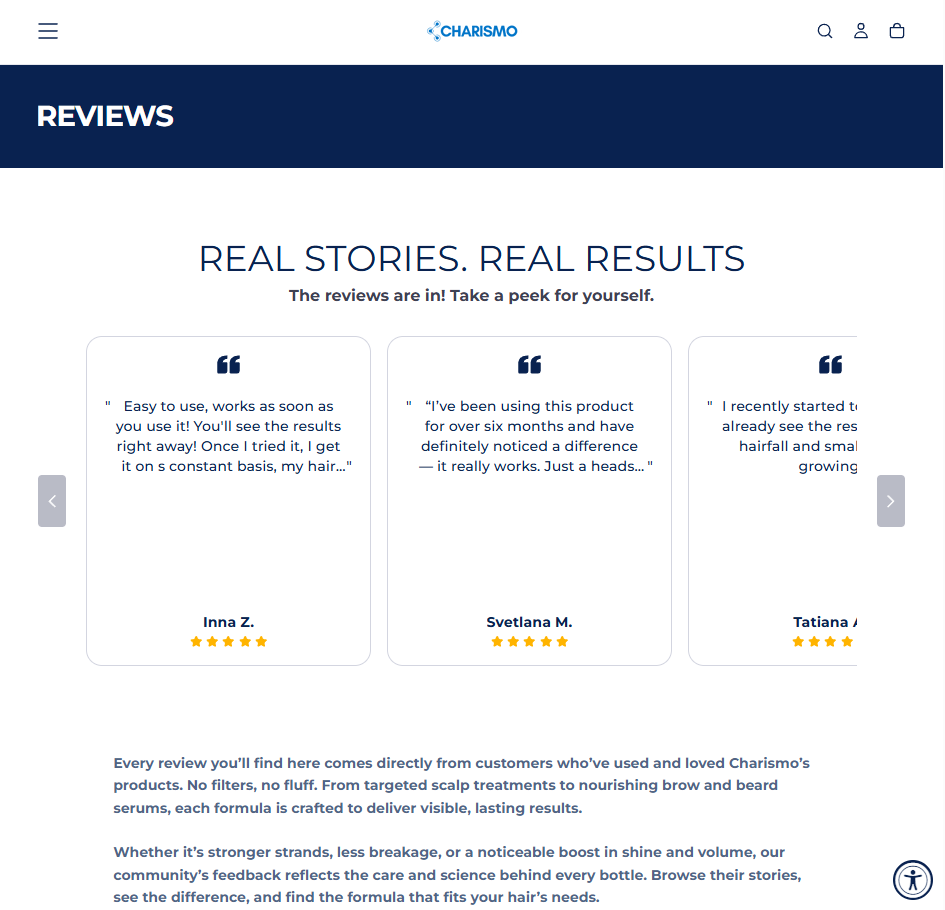
- Add reviews to your product pages. Real customer feedback with names and photos works as a powerful trust trigger.
- Show reviews across the buying journey. Don’t limit reviews to product pages. Display them on your homepage, in the cart, and near checkout to reinforce confidence at every step.
- Use AI review summaries. As your review count grows, customers may face a wall of reviews and lose focus. AI-powered summaries distill hundreds of reviews into a short, scannable paragraph — helping shoppers grasp overall sentiment in seconds and buy with confidence. TrustShop is a Shopify reviews app that lets you collect photo and video reviews, display them across key pages, and use AI to summarize reviews so shoppers can make confident decisions faster.
5. Remove Conversion Killers
Sometimes the biggest wins come from removing things, not adding them.
- Limit popups. If you hate being bombarded with popups when you shop online, so do your customers. A newsletter popup that fires while someone is scrolling toward checkout actively pulls them away from buying. If you use popups, limit to one — triggered by exit intent or after the visitor has viewed at least one product, so the offer feels relevant.
- Don’t distract from the purchase. Avoid cluttering product pages with social media buttons, blog links, or unrelated promotions that pull attention away from the Buy button. Every element on your page should support one goal: conversion.
- Clean up your storefront. Remove sold-out products (or push them to the bottom), fix broken links, and ensure every page loads correctly on mobile. A single broken element can make your entire store feel untrustworthy.
6. Recover Abandoned Carts
Cart abandonment is inevitable — but recoverable. Customers leave for all sorts of reasons: they got distracted, shipping was too high, or they wanted to compare prices. A timely follow-up can bring many of them back.
- Exit-intent popups. Catch customers before they leave with a well-timed popup offering an incentive to complete their purchase.
- Email recovery campaigns. Most abandoned carts are tied to an email address. Send a reminder with the items they left behind, and consider including a small incentive like a discount or free shipping code to close the deal.
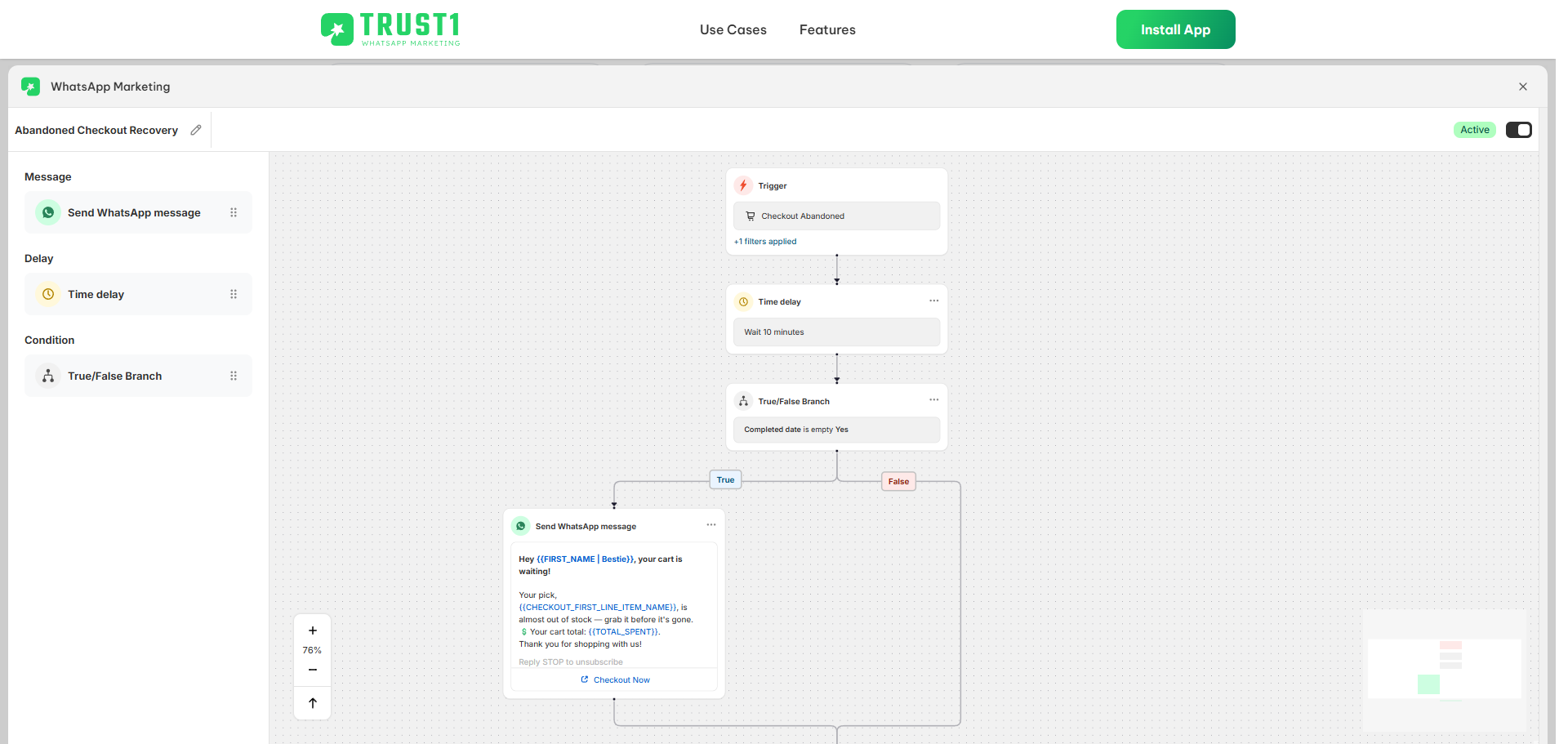
- WhatsApp recovery. WhatsApp messages see significantly higher open and engagement rates than email or SMS, making it an effective channel for cart recovery — especially for stores with international customers.
Trust1 – WhatsApp Marketing automates cart and checkout recovery via WhatsApp with up to a 40% recovery rate and 10x higher engagement than email or SMS.
7. Use Smart Product Recommendations
Showing relevant product recommendations based on customer behavior is one of the simplest ways to increase average order value and conversions.
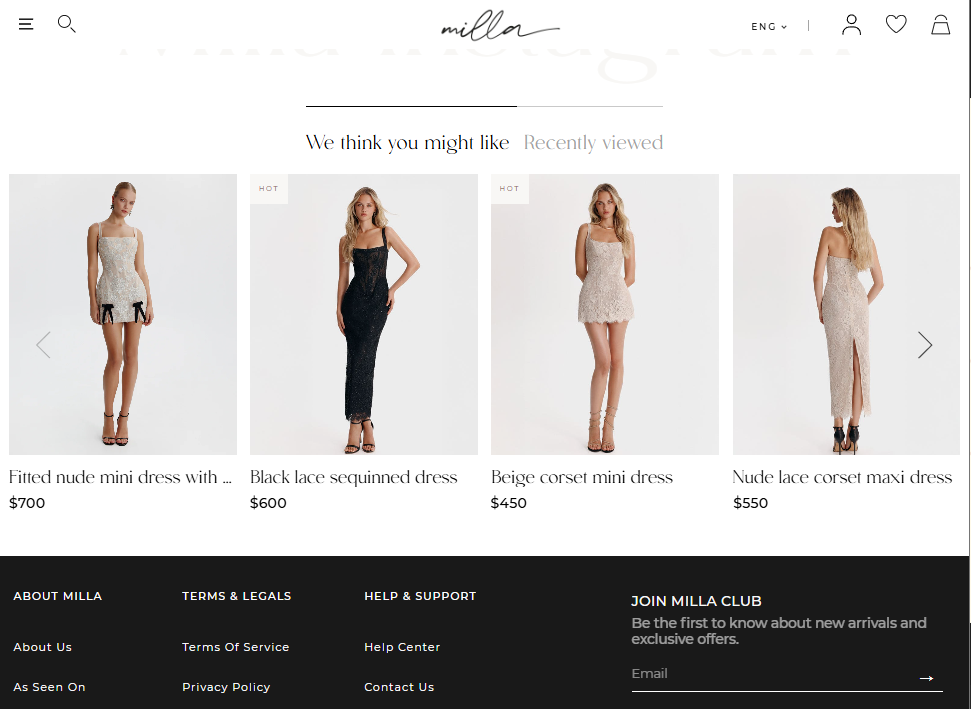
Instead of generic “You might also like” sections, AI-powered recommendation engines analyze browsing patterns and past purchase data to surface products each individual customer is most likely to buy. Relevant suggestions feel helpful, not pushy — and they keep customers exploring your store instead of leaving.
Place recommendations on product pages (“Frequently bought together”), in the cart (“Complete your order”), and on the homepage (“Recommended for you”).
8. Localize for International Visitors
If you sell cross-border, localization can dramatically improve conversions. Customers are far more likely to buy when they can browse in their own language and see prices in their local currency. A store that feels foreign — wrong language, unfamiliar currency — creates friction that kills conversions.
Translate your store and product content into your top markets’ languages, and enable automatic currency conversion so prices feel native to every visitor.
Apps like T Lab, Transcy, and Hextom let you translate your store and convert currencies automatically — so international visitors browse and buy in their own language.
9. Add Live Chat
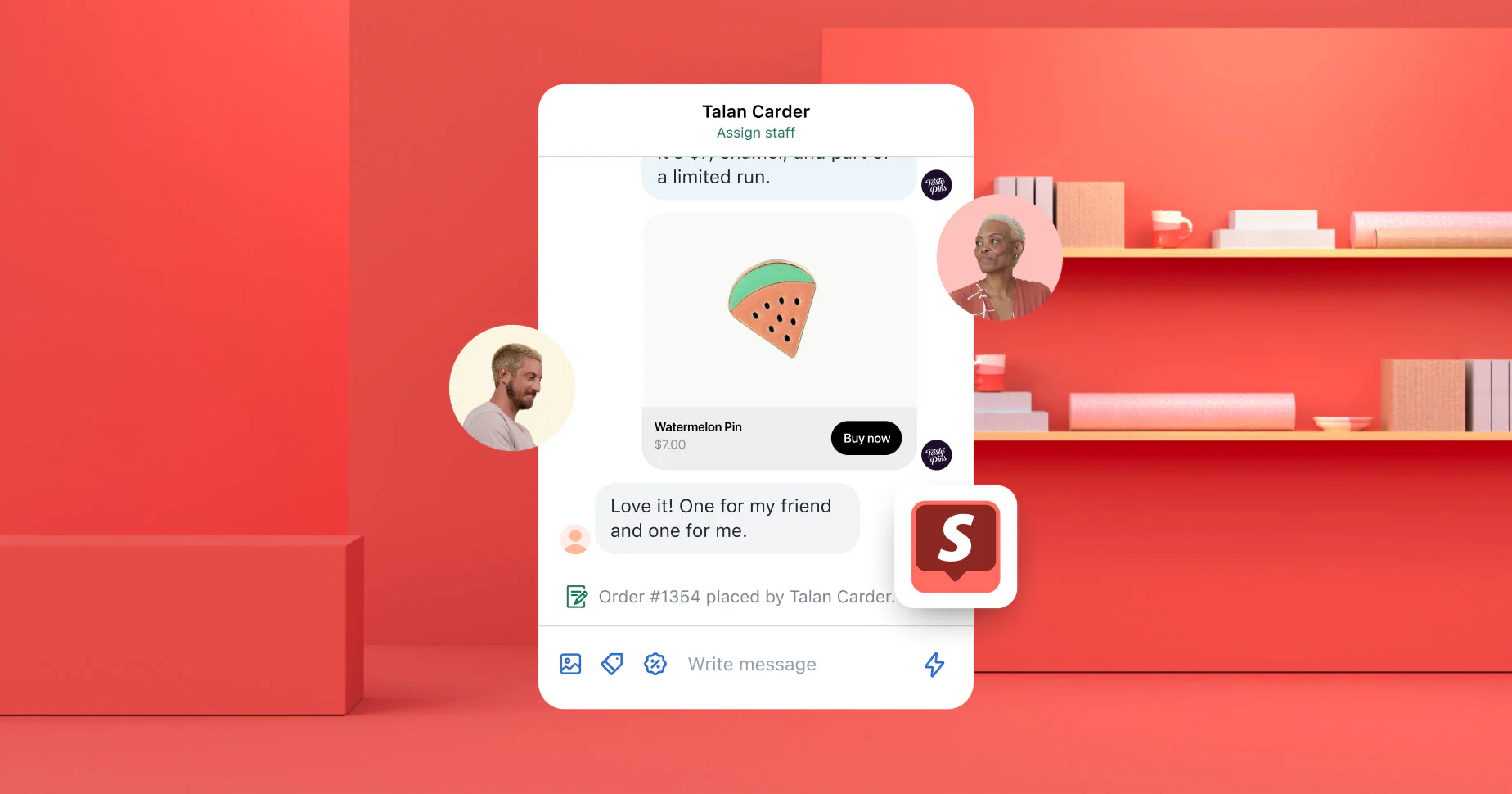
Adding live chat to your store gives customers an instant way to get answers while they’re actively considering a purchase. A quick reply at the right moment can resolve the hesitation that would otherwise cause them to leave. Shopify Inbox is a free, built-in option that shows you what’s in the customer’s cart while you chat — making it easy to provide personalized help and close sales in real time. For stores with higher support volume, third-party tools like Tidio or Gorgias offer advanced automation and multichannel support.
10. Optimize for Mobile
More than half of all ecommerce traffic comes from mobile devices. If your store isn’t fast and easy to use on a phone, you’re losing a massive share of potential sales.
- Speed up your pages. Heavy images and unnecessary apps are the most common culprits. Compress every image before uploading, remove apps you’re not actively using, and test your pages with Google PageSpeed Insights regularly.
- Simplify mobile navigation. Use thumb-friendly buttons, readable font sizes, and minimal scrolling. Keep the path from product to checkout as short as possible.
- Test on real devices. Don’t just check the desktop preview in Shopify — actually browse your store on your phone. Tap every button, go through the full checkout, and note anything that feels clunky or slow.
Every Shopify theme is automatically responsive, but that doesn’t mean it’s optimized. Small adjustments — larger buttons, less text per page, streamlined menus — can make a meaningful difference in mobile conversion rates.
11. Install Heatmaps and Session Recordings
Analytics tell you what is happening. Heatmaps and session recordings show you why.
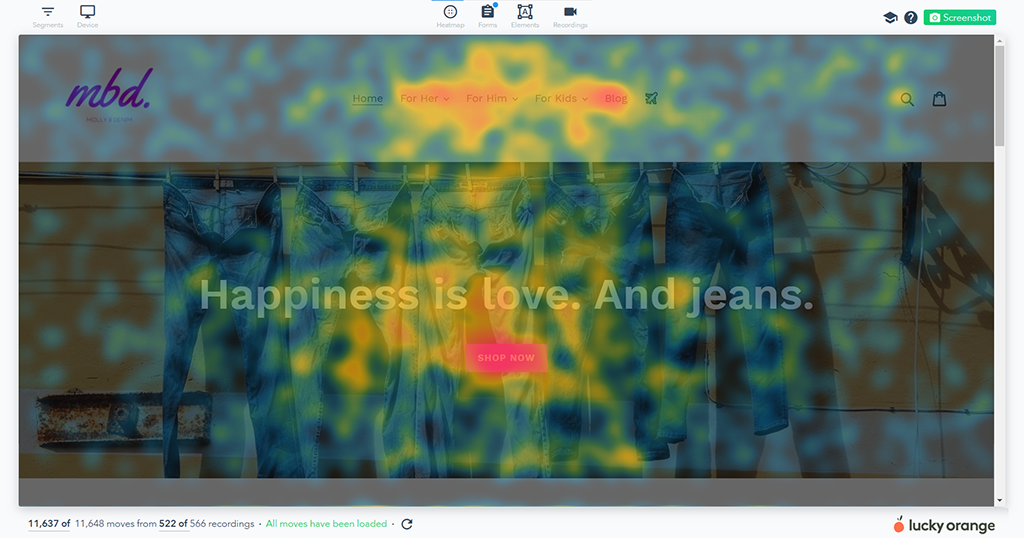
- Heatmaps visualize where visitors click, scroll, and spend time on your pages. You’ll quickly see if customers are missing your Add to Cart button, ignoring your product descriptions, or dropping off before reaching key content.
- Session recordings let you watch real visitor sessions to spot friction points — confusing navigation, broken elements, or unexpected behavior that analytics alone won’t reveal.
- Track key events like “Product Viewed,” “Added to Cart,” and “Checkout Started” to pinpoint exactly where in the funnel customers are dropping off and why.
Tools like Hotjar, Lucky Orange, and Microsoft Clarity (free) integrate with Shopify and can surface actionable insights within your first week of use.
12. Run A/B Tests and Audit Regularly
CRO isn’t a one-time project — it’s a cycle of testing, learning, and improving.
- Start small with A/B testing. Test one variable at a time: button colors, CTA text (“Buy Now” vs “Get Yours Today”), product image placement, or one-page vs multi-step checkout. Measure the results, keep what works, and repeat.
Make sure your store gets enough traffic to generate statistically significant results before drawing conclusions. Small sample sizes can lead to misleading data. - Audit your store regularly. Beyond formal testing, make it a habit to:
- Review your analytics dashboard weekly
- Browse your store as a customer on both desktop and mobile
- Check for broken links, display errors, and responsive issues
- Remove sold-out products and outdated promotions
The stores that convert best aren’t the ones with the fanciest design — they’re the ones that continuously identify and fix small problems before they become big ones.
Final Thoughts
CRO is the difference between a store that gets traffic and a store that makes money. You don’t need to implement all 12 tactics at once — start with your funnel audit, identify your biggest drop-off, and fix that first. Small improvements compound. Fix the store before spending more on ads. The sales will follow.