


At TrustShop, we know how much work goes into building up your reviews—months of requests, imports, and follow-ups to earn hundreds of five-star ratings on your best products. So it’s frustrating when you launch a combo or gift set and that hard-earned social proof simply doesn’t carry over. The new bundle page sits at zero reviews, even though every item inside it is already a proven best-seller.
That empty review section quietly costs you sales. To make sure your combos launch with the trust they deserve, we’re thrilled to introduce our latest feature: Product Bundles.
What is Product Bundles?
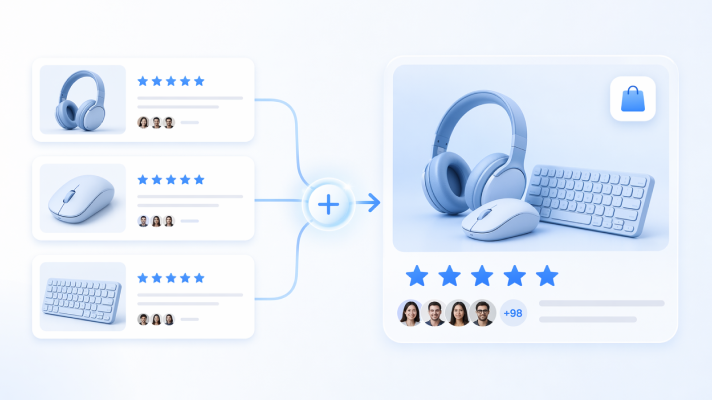
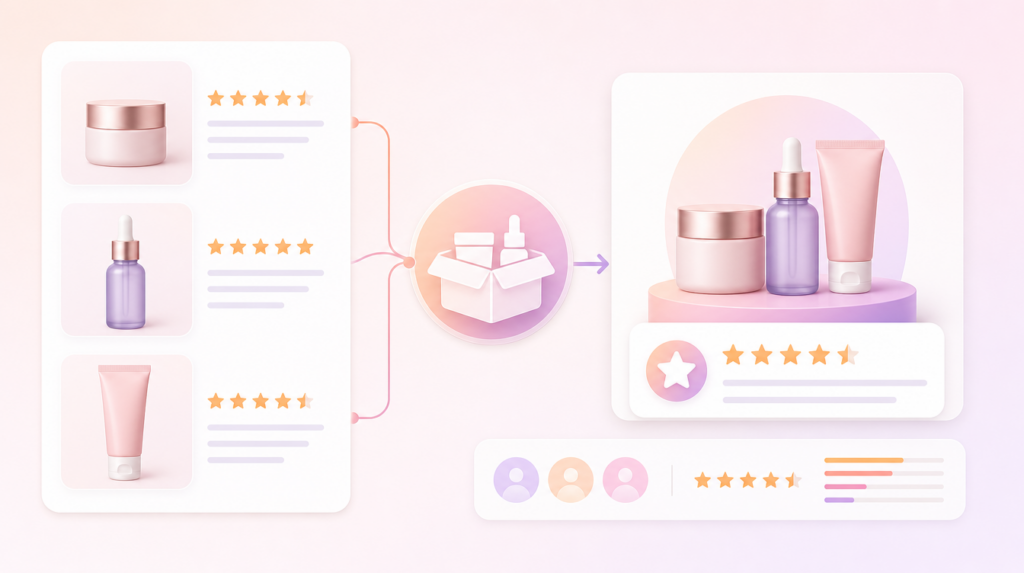
Product Bundles lets your combo products inherit and display the combined reviews of the individual items inside them. Instead of starting from scratch, a bundle page instantly shows the ratings and reviews shoppers already trust—so the social proof follows the products, not just the SKU.
It also fixes the review request problem behind the scenes. When a bundle is purchased, you decide exactly which items trigger a review request email—the parent bundle, the child products, or both—so you collect the right feedback without over-asking your customers.
Real Benefits of Product Bundles for Your Store
1. Never Launch a Bundle with Zero Reviews
A brand-new combo page with no reviews gives shoppers a reason to hesitate. Product Bundles pulls the combined ratings of the items inside onto the bundle’s product page, so your “Valentine Gift Box” or “Skincare Routine” shows real, credible social proof from day one—turning a cold launch into a confident one.
2. Sync Native Shopify Bundles Automatically
If you build combos with the native Shopify Bundles app, there’s nothing to configure. TrustShop detects those bundles, maps the parent-child relationship for you, and re-syncs automatically whenever they change. Your review settings take effect immediately—no spreadsheets, no manual linking.
3. Combine Reviews for Any Combo with Manual Mapping
Not every combo is a “real” bundle. Many merchants create a combo as a normal Shopify product without any bundle app. Manual Mapping handles exactly that case: pick a parent product, choose the child products it should inherit reviews from, and your combo page instantly displays their combined reviews. It’s the flexible fallback that works no matter how you build your bundles.
4. Send Smarter Review Requests
Default review setups often ask customers to review each small item separately—or only the combo—leaving valid reviews on the table. With Product Bundles, you control which items trigger a request when a bundle is purchased: the parent bundle, the child products, or both. You capture more reviews without annoying your buyers.
Key Feature Highlights
- Automatic Shopify Bundles Sync: TrustShop detects bundles created with the native Shopify Bundles app and keeps them in sync, hands-free.
- Manual Mapping Fallback: Map any Shopify product to inherit reviews from its child products—perfect for gift sets and combos built without a bundle app.
- Flexible Review Request Rules: Choose to request reviews for the parent bundle, the child products, or both, as a global default or per bundle.
- Storefront Inheritance Control: Show combined reviews from all items, or limit the page to the bundle’s own reviews—your call.
- Synced Bundles Dashboard: See every bundle in one place, filter by active or inactive, and override the rules for any individual combo in a click.
Use Case Spotlight: Manual Mapping in Action
Manual Mapping shines when you want a new product to borrow credibility instantly:
- Sell a gift set that inherits trust. Bundle your already-loved Lip Balm and Perfume into a “Valentine Gift Box,” map them, and the gift page shows their combined ratings right away.
- Launch a new product on the back of a best-seller. Pair a proven best-seller (hundreds of reviews) with a brand-new item (zero reviews) in a combo. Manual Mapping lets the new product ride on the best-seller’s social proof from the moment it goes live.
Get Started Today
Ready to give every combo the reviews it deserves?
- To activate: Head to Settings > Product Bundles inside your TrustShop admin app and toggle the feature on. Then sync your Shopify bundles or create a manual mapping.
- Note: Product Bundles is available on the Unlimited and AI-Powered plans.
- Need guidance? Read our step-by-step Product Bundles Help Documentation.
As a customer-first company, we listen to merchant feedback to shape our roadmap and build TrustShop into a powerful tool that helps you run your business more effectively. Request a feature now.
Have questions or feedback? Contact us at [email protected]. Join our WhatsApp community to get the latest updates.