



Most Black Friday checklists cover inventory, site speed, and discounts. This one covers the part that decides whether a first-time visitor buys from you or from the other tab: the social proof on your product page.
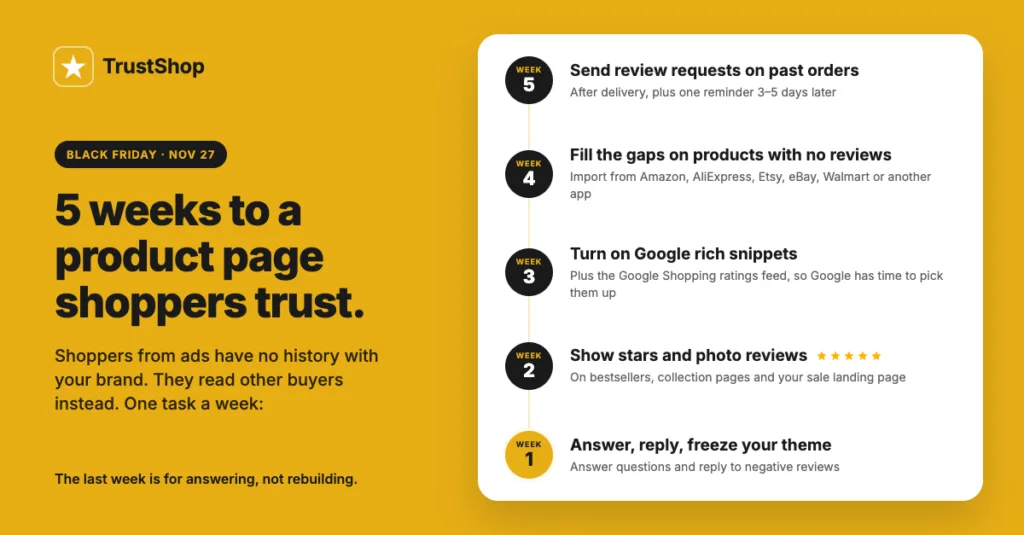
Black Friday 2026 falls on November 27, and Cyber Monday on November 30. That gives you about five weeks. Here is what to do in each of them.
Why reviews matter more during Black Friday than any other week
During Black Friday and Cyber Monday (BFCM), the people landing on your product pages are not your regular customers. They come from ads, from deal sites, from a friend’s message. Shopify reported that more than 81 million customers bought from Shopify-powered brands over the BFCM weekend in 2025 (Shopify, December 2025). Most of them were strangers to the store they bought from.
A stranger cannot judge your product by your brand. They judge it by what other buyers said, by whether there are photos, and by whether the store looks like it answers people. A discount gets them to the page. Social proof is what gets them to the checkout.
There is a second reason to start now. Reviews take time to arrive. A customer has to buy, wait for delivery, use the product, and then write something. If you start asking in the last week of November, those reviews will land in December, after the sale is over.
What not to do in the weeks before Black Friday
Do not wait until BFCM week to ask for reviews. Any review you want on the page for Black Friday has to come from an order placed now, in October or early November.
Do not launch new products or gift sets with zero reviews. A new product page with no reviews next to an old one with forty is a hard sell, even at a discount.
Do not change your theme or widget layout in the final week. Test everything before November 20. If something breaks on Black Friday morning, you lose the day.
Do not hide or delete negative reviews. A page with only five-star reviews reads as fake. A three-star review with a calm reply from the merchant builds more trust than silence. We wrote a full guide on handling negative reviews.
Your 5-week review checklist
Week 5 (October 21–27): ask for reviews on your October orders
Start here, because this is the step with the longest delay.
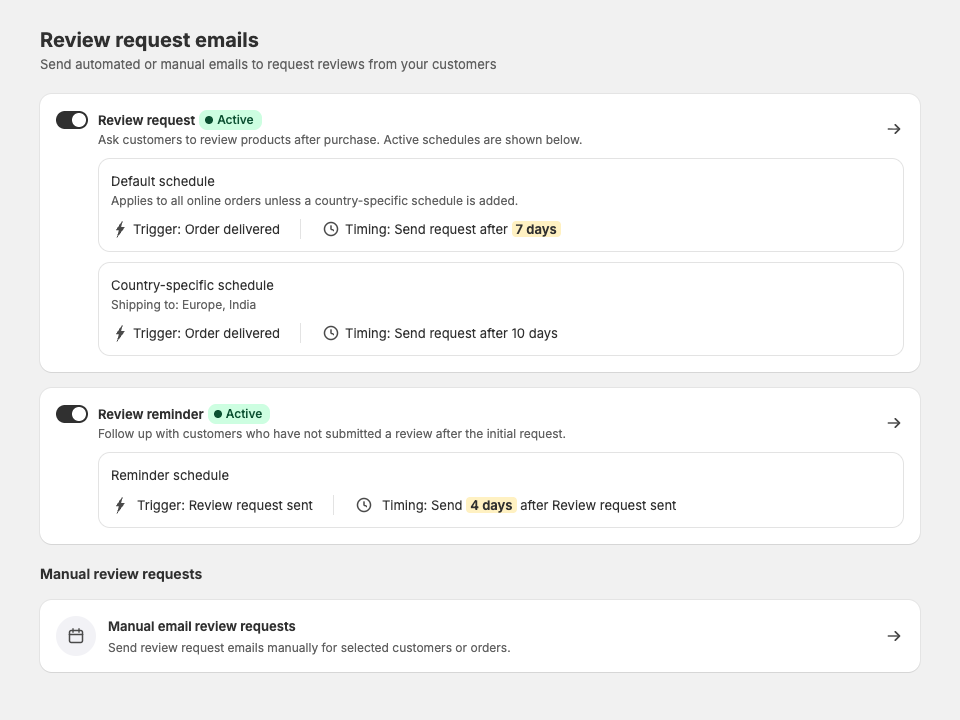
Turn on automatic review request emails for every order that has been delivered. Send the first request a few days after delivery, when the customer has actually used the product, and send one reminder three to five days later. One reminder is enough. Two is noise.
Then look at your orders from the last 60 days that never got a request, and send those by hand. This is usually a bigger list than merchants expect.
If your store sells in more than one country, check that the request email goes out in the customer’s language. A request in the wrong language gets deleted.
Week 4 (October 28 – November 3): fill the empty product pages
Make a list of every product you plan to promote on Black Friday. Open each page as a shopper would. Any page with fewer than five reviews is a problem.
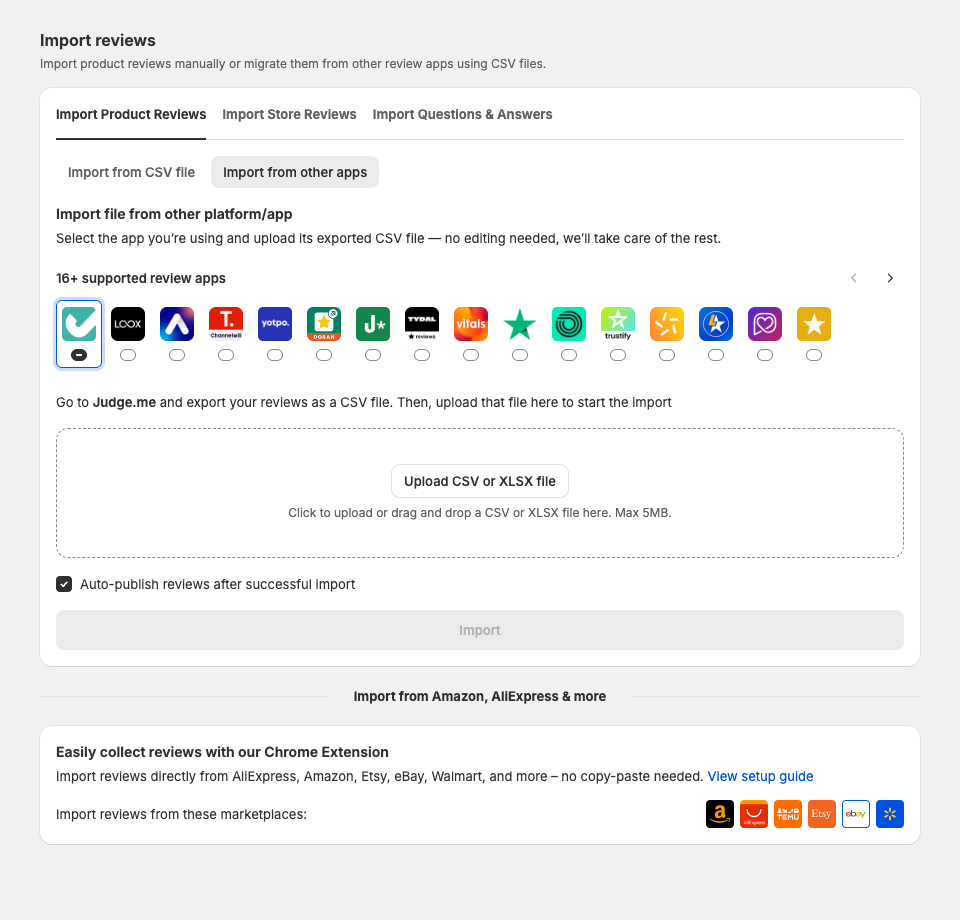
For products you have sold elsewhere, bring those reviews in. If you sell the same item on Amazon, AliExpress, Etsy, eBay, or Walmart, you can import the reviews you already earned there. If you are moving from another review app, import your full history rather than starting from zero.
For genuinely new products and gift sets, you have two options. Send a small number of units to existing customers and ask for an honest review. Or build the gift set as a bundle, so it shows the reviews of the products inside it instead of showing nothing.
Week 3 (November 4–10): turn on star ratings in Google
This is the step most merchants skip, and it works before the shopper ever reaches your site.
Switch on rich snippets, so your star rating shows under your product in Google search results. Then connect your product ratings to your Google Shopping feed, so the stars appear next to your product in Shopping ads and listings.
Both need a few days for Google to crawl and show them, which is why this belongs in week 3 and not week 1. Check the result by searching for your own product in a private browser window.
Week 2 (November 11–17): put photo reviews on your bestsellers
Written reviews build trust. Photo and video reviews from real buyers do it faster, because a shopper can see the product in a normal room instead of in a studio.
Pick your ten bestselling products and make sure each one has at least a few photo reviews near the top of the page. If they do not, run a short campaign: offer a discount code to customers who add a photo or a video to their review. Keep the offer honest. You are paying for the effort of taking a photo, not for a good rating.
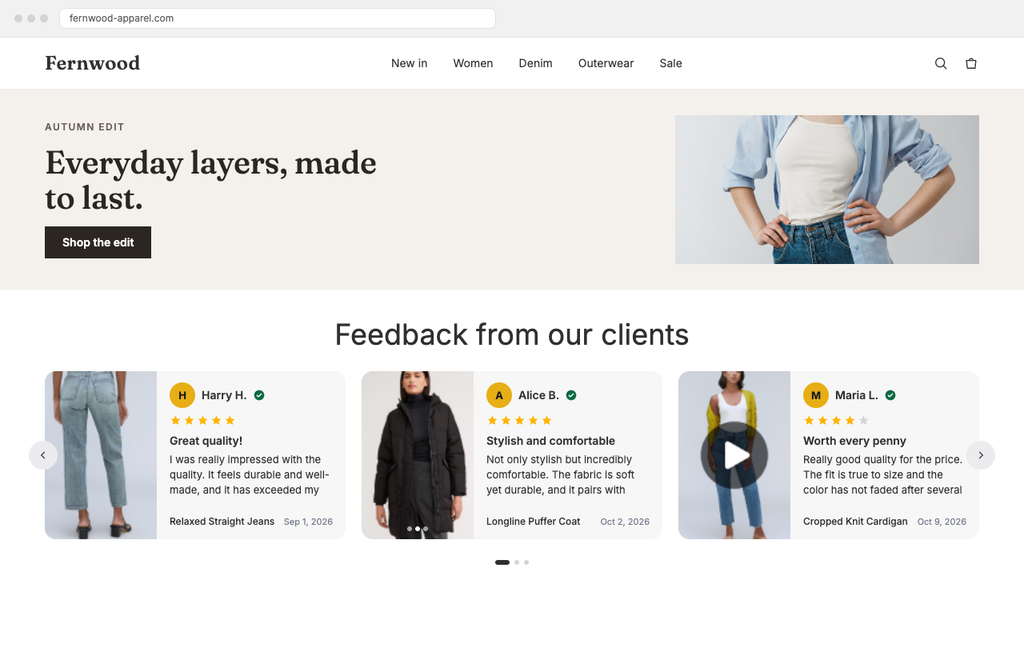
While you are there, add social proof outside the product page too. A review carousel on the home page, star badges on collection pages, and a short testimonial slider near the cart all catch shoppers who never scroll a full product page.
Week 1 (November 18–26): answer everything, then freeze
Reply to every unanswered review, especially the critical ones. A shopper reading a two-star review with a helpful reply below it sees a store that takes care of problems.
Answer the open questions on your product pages. During the holidays, questions about sizing, materials, and delivery dates are buying signals. An unanswered question is a lost sale.
Then stop changing things. Lock your theme and widget settings by November 20. Load three product pages on a phone over a slow connection and check that the reviews still appear. Write down who is watching the store over the weekend and how customers can reach them.
How to do this with TrustShop
Here is how each step maps to the app.
Ask for reviews, automatically. In Review Requests, turn on the automatic email and set when it goes out after delivery, plus one reminder. Templates are available in multiple languages, so European and Indian shoppers get the request in a language they read. For older orders, send requests by hand from the orders list.
Fill the empty pages. The importer brings in reviews from Amazon, AliExpress, Etsy, eBay, and Walmart, and from more than 14 review apps including Judge.me, Loox, Stamped, Junip, and reviews.io. You can also upload a CSV or XLSX file. For gift sets, Product Bundles shows the combined reviews of the products inside the bundle, so a brand-new bundle page is not empty on day one. Product Bundles is on the Unlimited and AI-Powered plans.
Get the stars into Google. Rich snippets and the Google Shopping product ratings feed are both settings you switch on. Do it in week 3 so Google has time to pick them up.
Reward photo reviews. Set a discount code that customers receive when they add a photo or video to a review. The verified buyer badge and spam protection keep the incoming reviews trustworthy.
Display them your way. There are more than 10 widget types, including review lists, carousels, sliders, testimonial sliders, star badges, and pop-ups, with full control over colors, fonts, and spacing so they match your theme.
Clear the backlog before BFCM week. Reply to reviews from Manage Reviews. On the AI-Powered plan, the smart reply agent drafts replies for you, which helps when you have dozens waiting. Read every draft before it goes live.
TrustShop is Built for Shopify, rated 4.9 stars on the Shopify App Store, and has a free plan, so you can start on this checklist today.
Final Thoughts
You do not need all five weeks to make a difference. Even if you only do week 5 and week 3, asking for reviews now and switching on Google star ratings, your product pages will be in better shape on November 27 than they are today.
The work compounds, too. The reviews you collect for Black Friday keep selling for you in December, in January, and all through next year.
Turn Reviews Into Revenue. Collect, manage, and display high-converting reviews — built for Shopify merchants. Try TrustShop Free