



Black Friday falls on November 27 this year, and Cyber Monday on November 30. In these few days, shoppers visit more stores than at any other time of the year and make up their minds quickly. Two things decide whether they buy from you: how much they trust what they see on your store, and how much they add to their cart.
The good news: you don’t need a new app for either. TrustShop already has the tools, and each one takes only a few minutes to set up. This toolkit walks you through five setups, in the order we recommend, with a holiday use case for each one.
At a glance
| # | Setup | Time | Where in TrustShop |
|---|---|---|---|
| 1 | Collect reviews before the rush | 10 min | Reviews → Settings |
| 2 | Show social proof where shoppers decide | 10 min | Reviews → Widget, Visual Social Proof |
| 3 | Let AI do the heavy lifting | 5 min | Reviews → Settings → AI Features |
| 4 | Raise order value with Upsells | 10 min | Upsells |
| 5 | Turn holiday buyers into referrers | 2 min | Referrals |
1. Collect reviews before the rush
Reviews you gather in early November are the ones holiday shoppers will read. AI review summaries also need at least 10 reviews on a product, so filling up your best sellers now pays off twice.
Set it up:
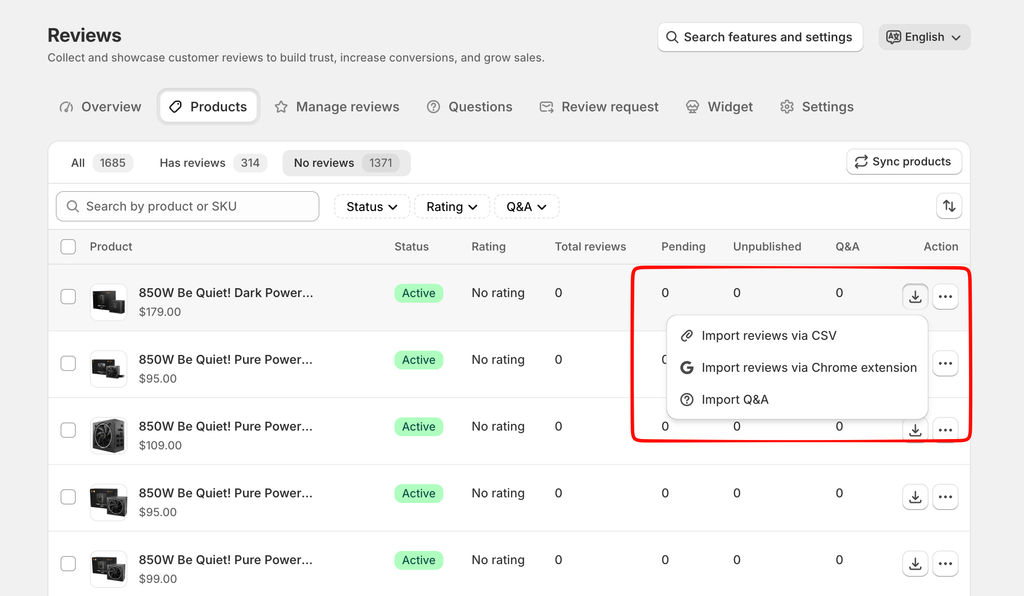
- Fill up the products that need reviews most. Go to Reviews → Products, open a best seller with few reviews and click Import Reviews. Choose how to add reviews: import them from a CSV file, or copy the product’s review link and share it with past buyers so they can review that product directly.
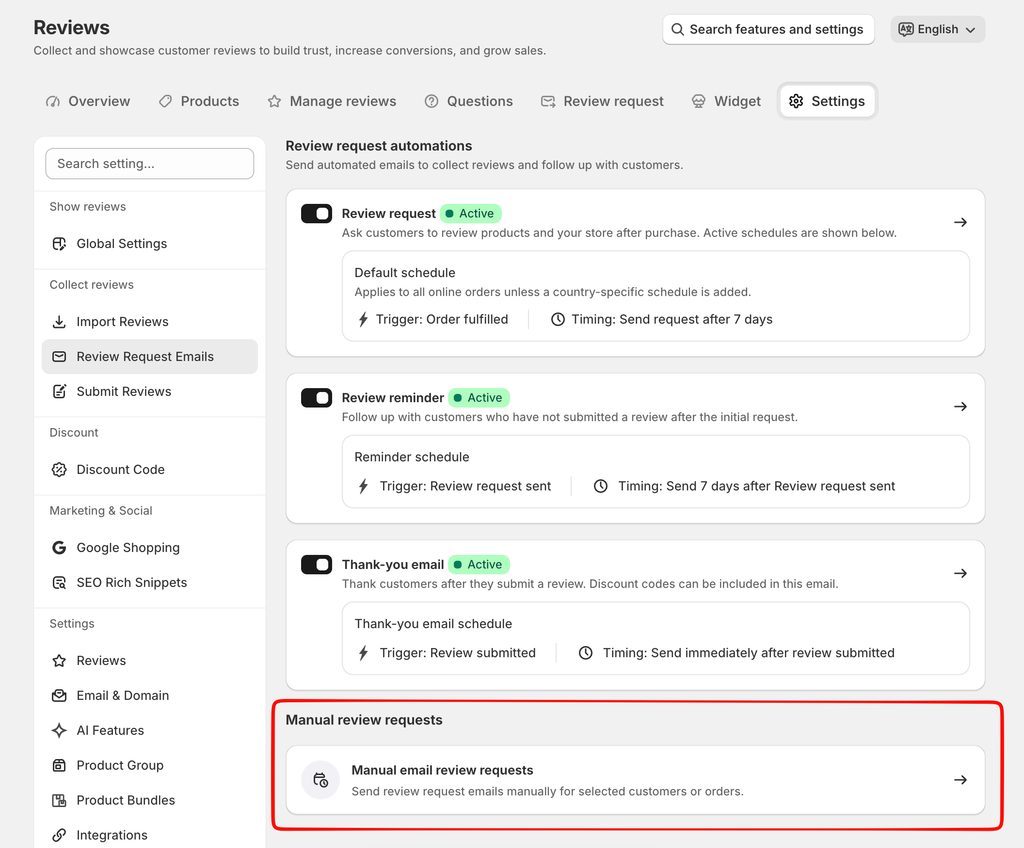
2. Ask recent buyers. In Reviews → Settings → Review Request Emails, open manual send, tick your recent fulfilled orders and choose Send mail. Your reminder emails follow automatically.
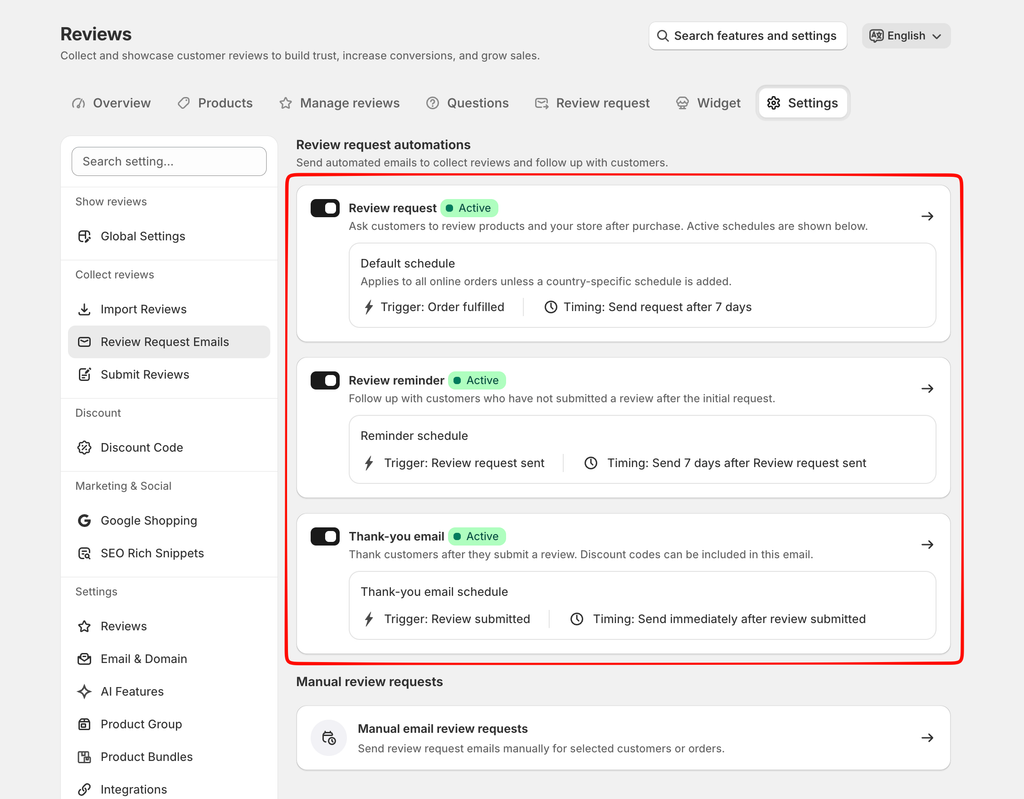
3. Keep requests running. In Reviews → Settings → Review Request Emails, make sure your campaign is on. Holiday parcels travel slower, so pick the Delivery trigger or add a few extra days to your fulfillment delay.
4. Reward photo and video reviews (Unlimited and AI-Powered). In Reviews → Settings → Discount Code, turn the reward on. The defaults are 5% for a text review, 10% with photos and 20% with videos, and codes expire after 20 days.
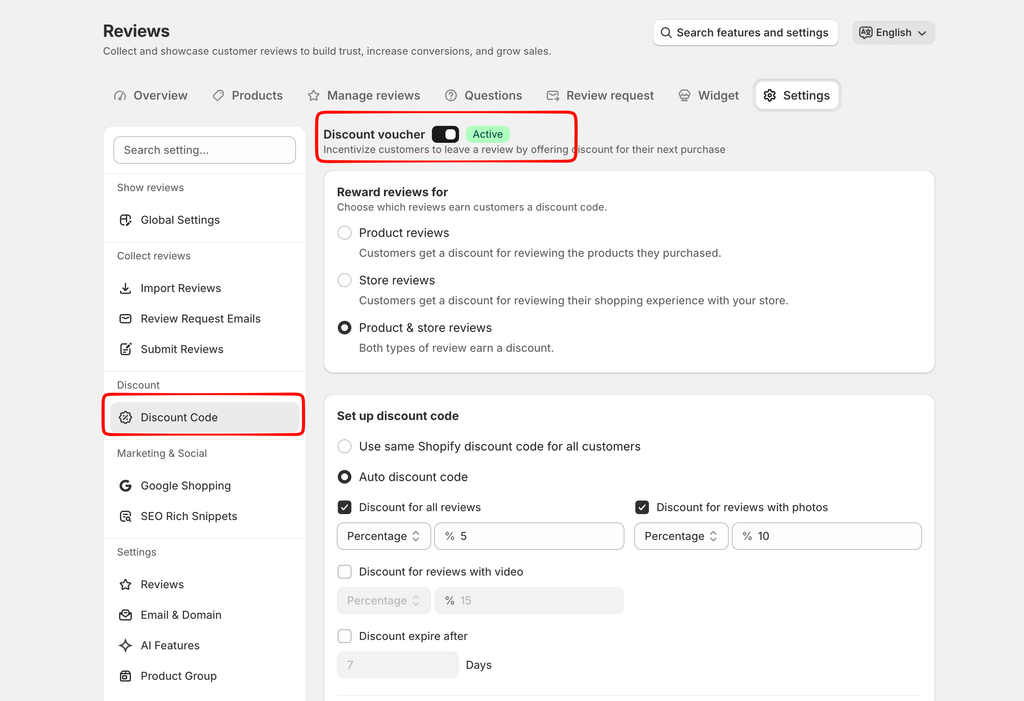
Holiday use case: a 20-day code earned in late November lands right in the December gift-shopping window, so a happy reviewer has a reason to come back and buy again.
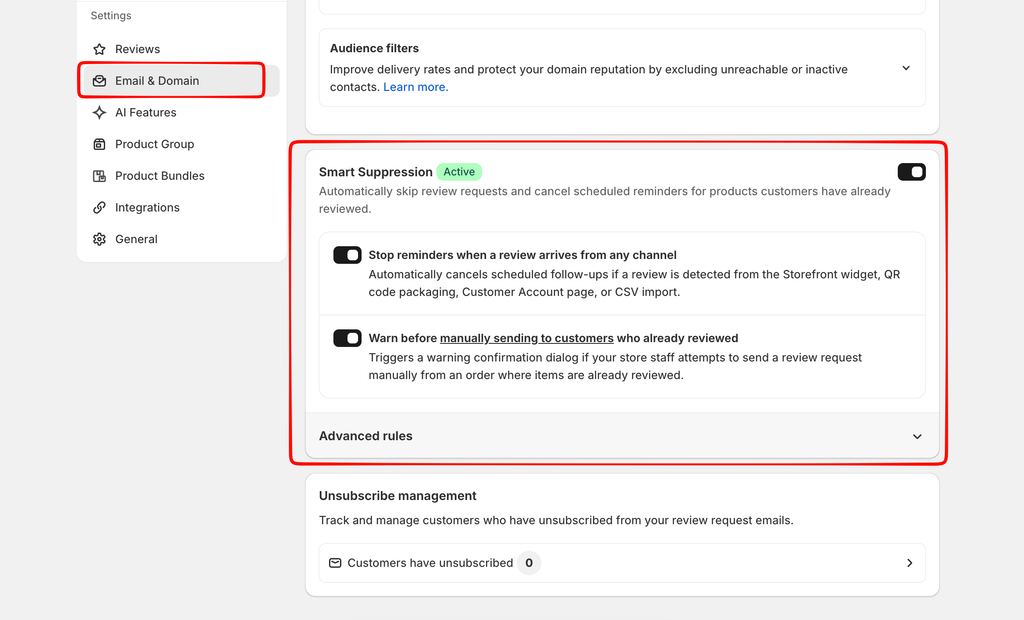
Tip: turn on Smart Suppression (Reviews → Settings → Email & Domain) so customers who already reviewed don’t get the same request twice during your busiest weeks.
2. Show social proof where shoppers decide
Holiday shoppers skim. Put stars and real customer photos where they make up their minds: product pages, collections and your homepage.
Set it up:
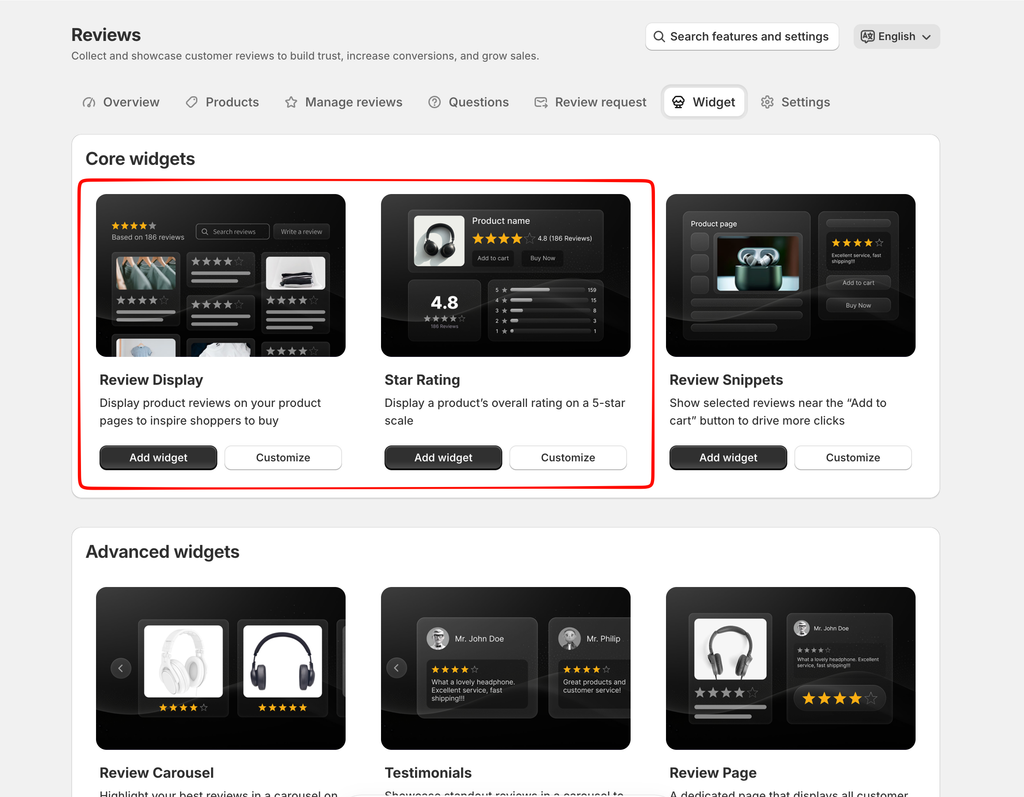
- Product pages. On the Reviews → Widget tab, add the Review Display widget and the star rating to your product template, then make sure the TrustShop app embed is on in your theme.
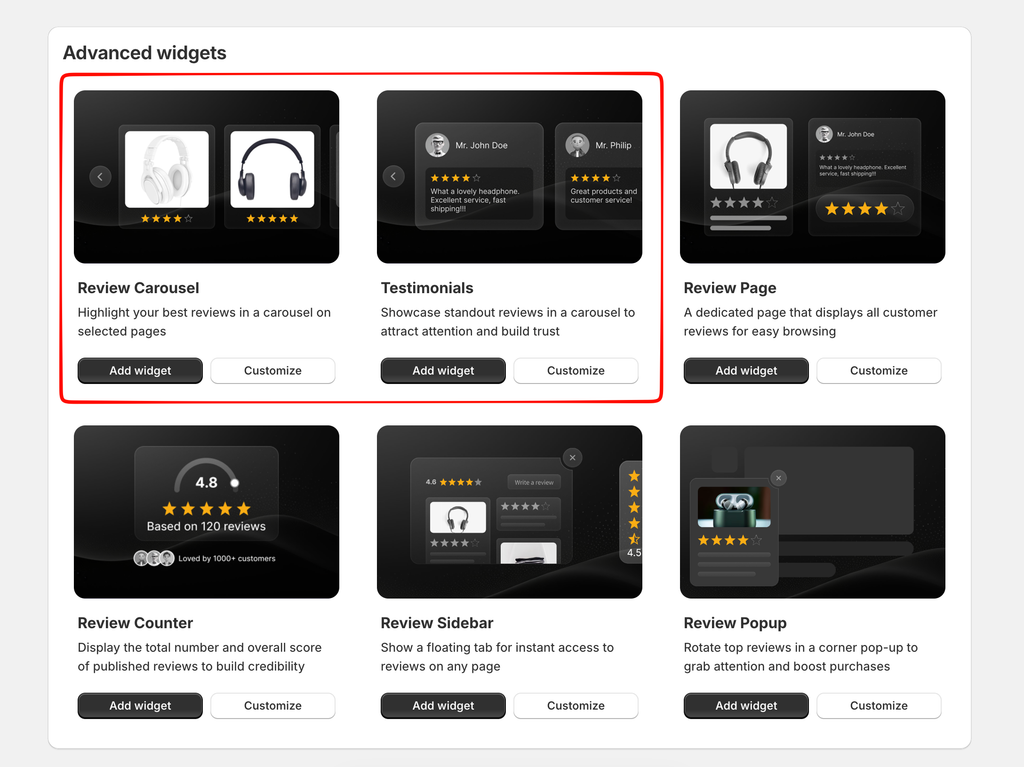
2. Homepage and landing pages (Unlimited and AI-Powered). Add a review carousel or testimonial widget to your homepage or your BFCM landing page.
3. Customer photos and videos. In Visual Social Proof, photos and videos from approved reviews are added automatically. Connect Instagram or TikTok in Data Source, create a widget from a template, then add it to your theme from the Widgets tab.
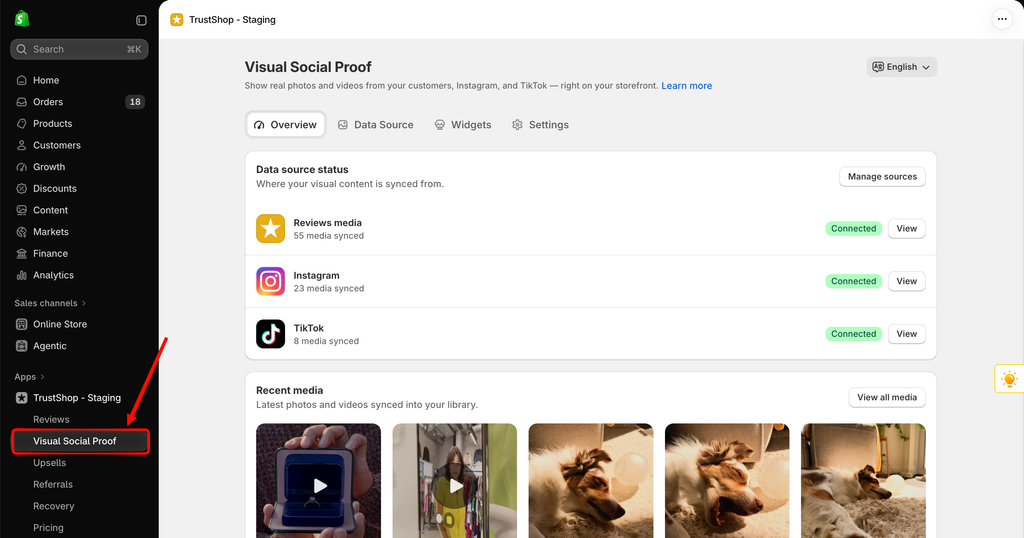
Make media shoppable (Unlimited and AI-Powered). In Data Source, open a photo and tag the products in it, so shoppers can add to cart straight from the gallery.
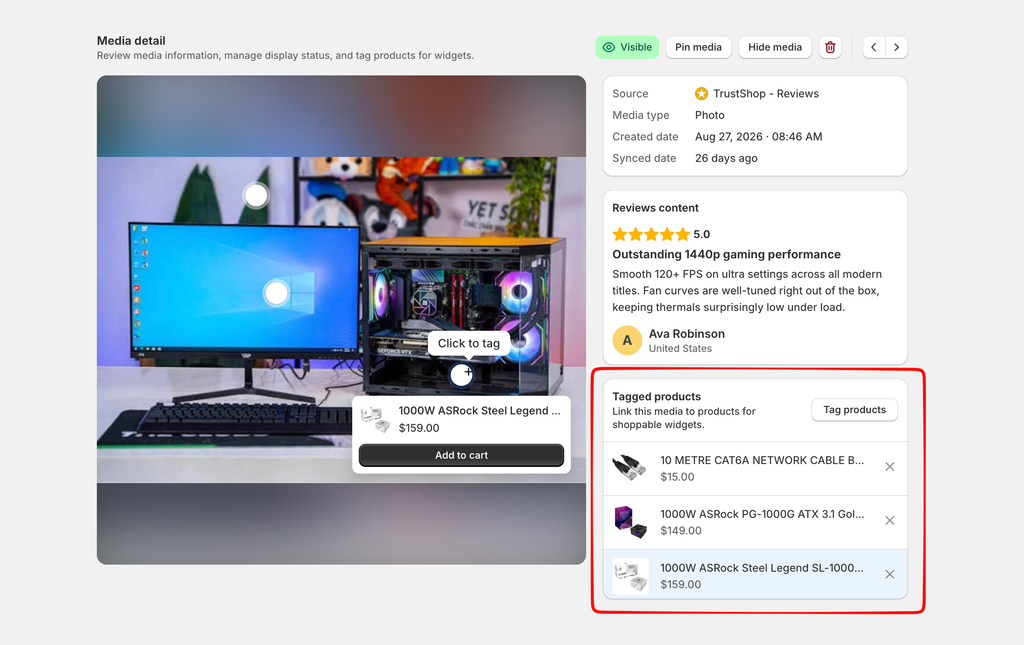
Holiday use case: build a “Gifts customers love” section on your homepage with a shoppable photo gallery and a carousel of your best gift reviews.
On the Free plan, Visual Social Proof holds up to 15 media items and 1 widget, which is enough for one strong homepage gallery.
3. Let AI do the heavy lifting (AI-Powered)
If you’re on the AI-Powered plan, AI can save you hours during your busiest weeks and help shoppers who read reviews in another language. Most of the work is simply switching the features on.
Set it up in Reviews → Settings → AI Features:
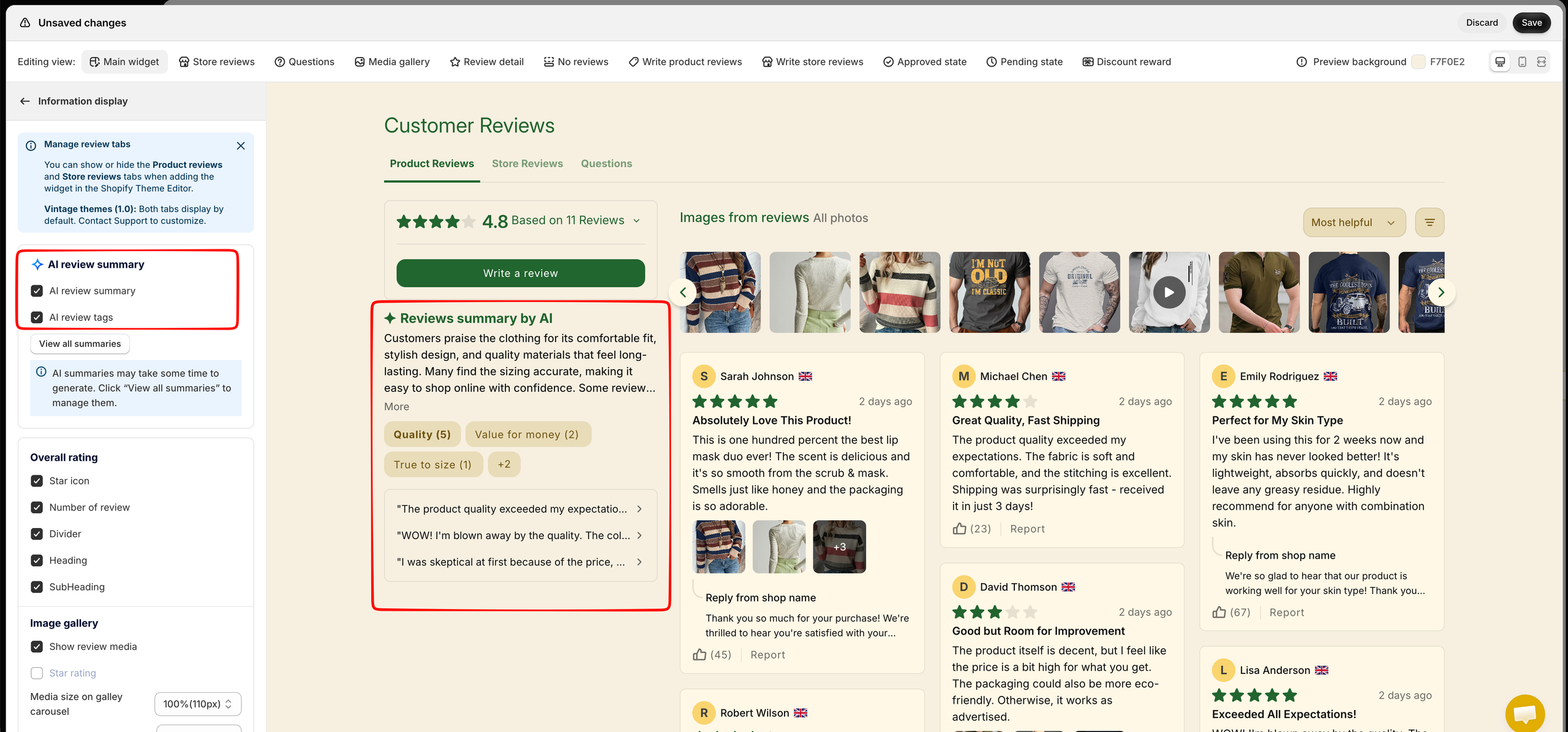
- AI Review Summary. Open AI Review Summary, check the summaries for your best sellers and publish them. Then turn on the AI summary element in your Review Display widget so shoppers can see it. Summaries refresh every hour as new reviews arrive.
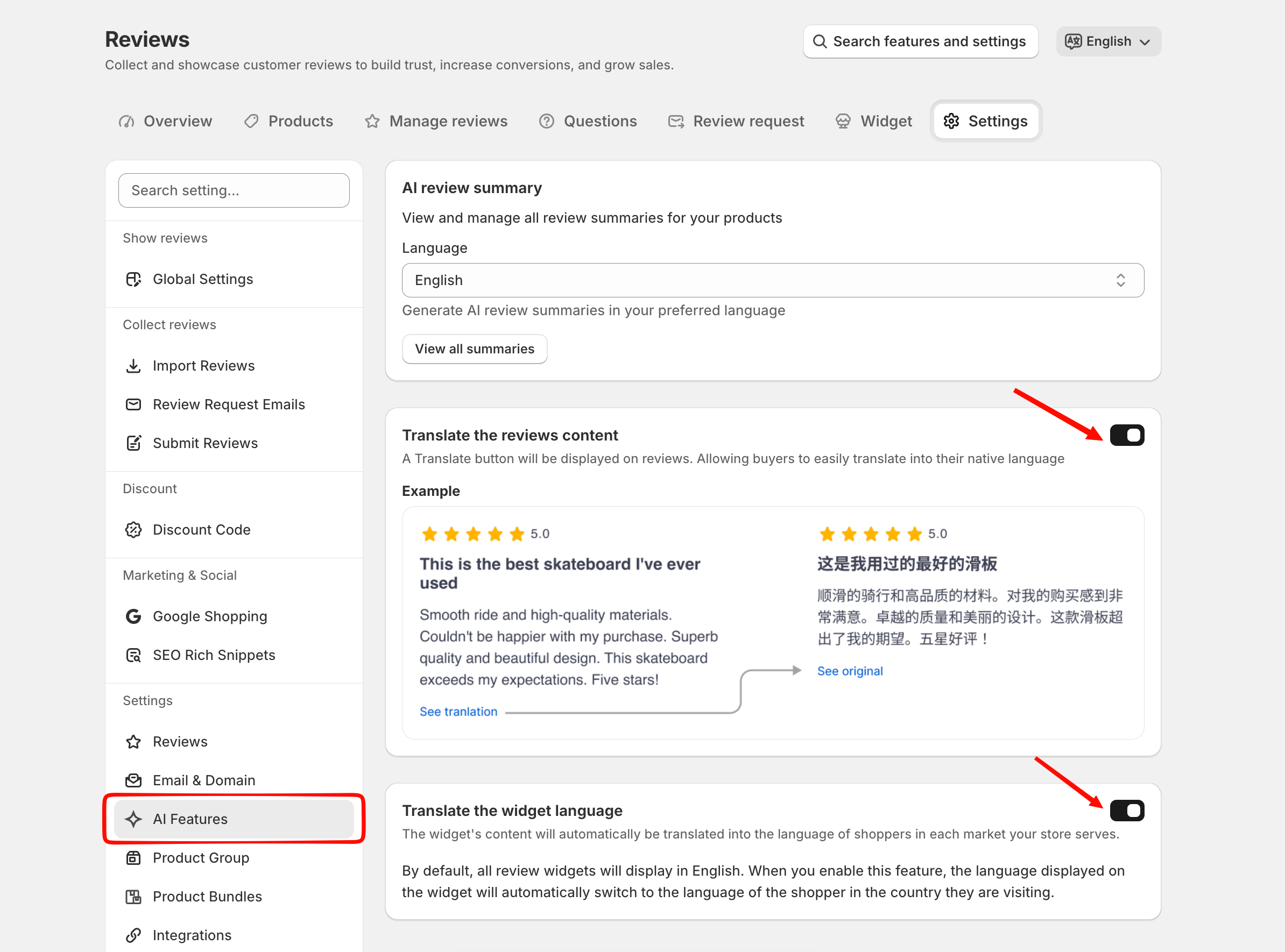
2. Review translation. Switch on “Translate the reviews content” so shoppers can read reviews in their own language.
3. Multi-language widget. Switch on “Auto multi-language switching” so your review widget follows each shopper’s language instead of always showing English.
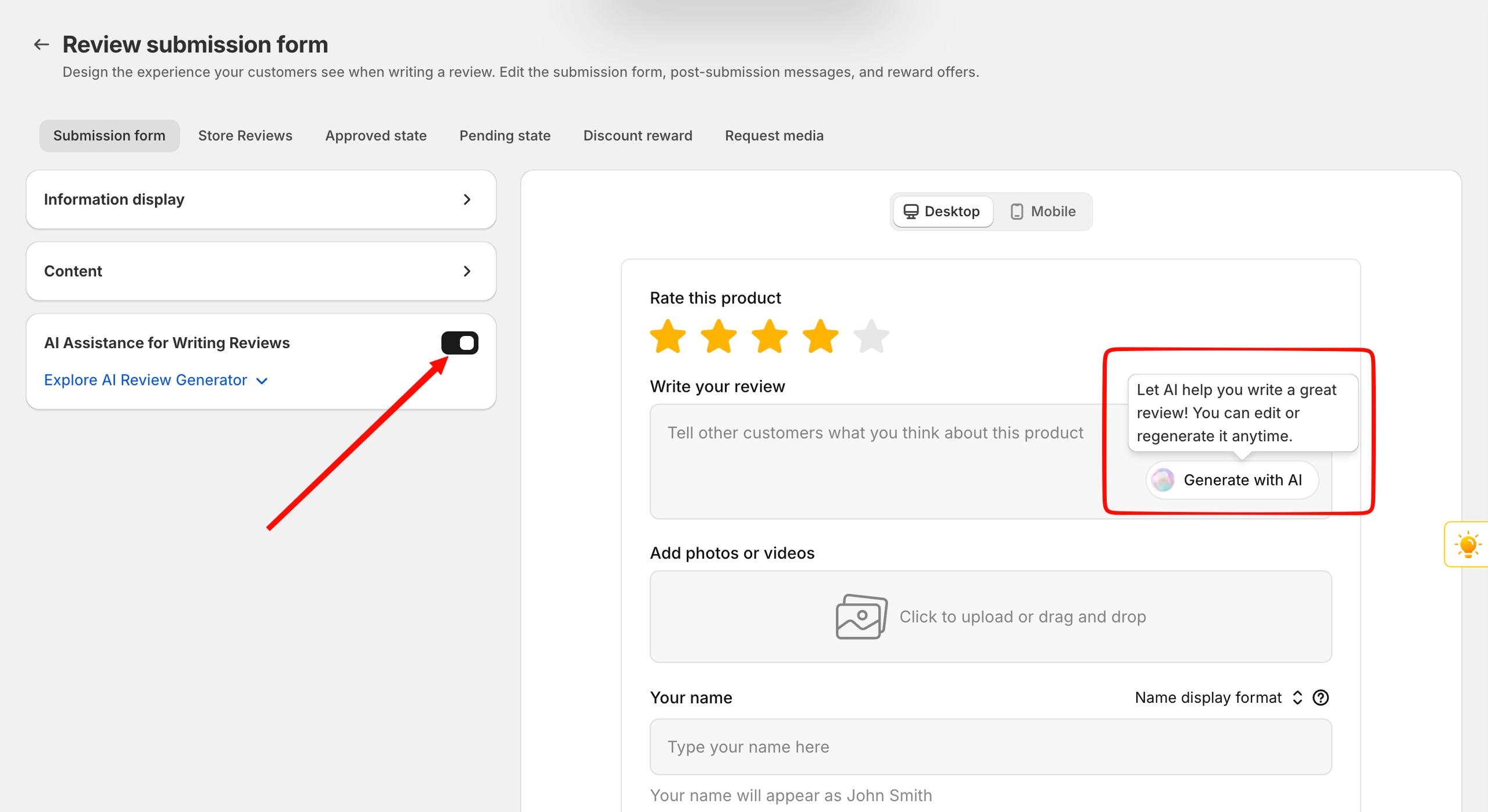
4. Write with AI. In Reviews → Settings → Submit Reviews, turn on AI assist so customers see “Generate with AI” in the review form and can draft a review in seconds, then edit it before sending.
Also useful in the rush (Unlimited and AI-Powered): when you reply to a review, choose “Let AI write it”, pick a tone (Simple, Friendly, Professional or Supportive) and edit the draft before saving. You can reply to up to 100 reviews at once.
Holiday use case: cross-border orders grew faster than total orders during BFCM 2024 (31% vs 23%, Reach). Translated reviews and a widget in the shopper’s language help those visitors trust a store they found for the first time.
4. Raise order value with Upsells
You are already paying to bring holiday traffic in. Upsells helps each of those visitors add a little more, and it is free on every TrustShop plan while in early access.
| Offer type | Where it shows | Best BFCM use |
|---|---|---|
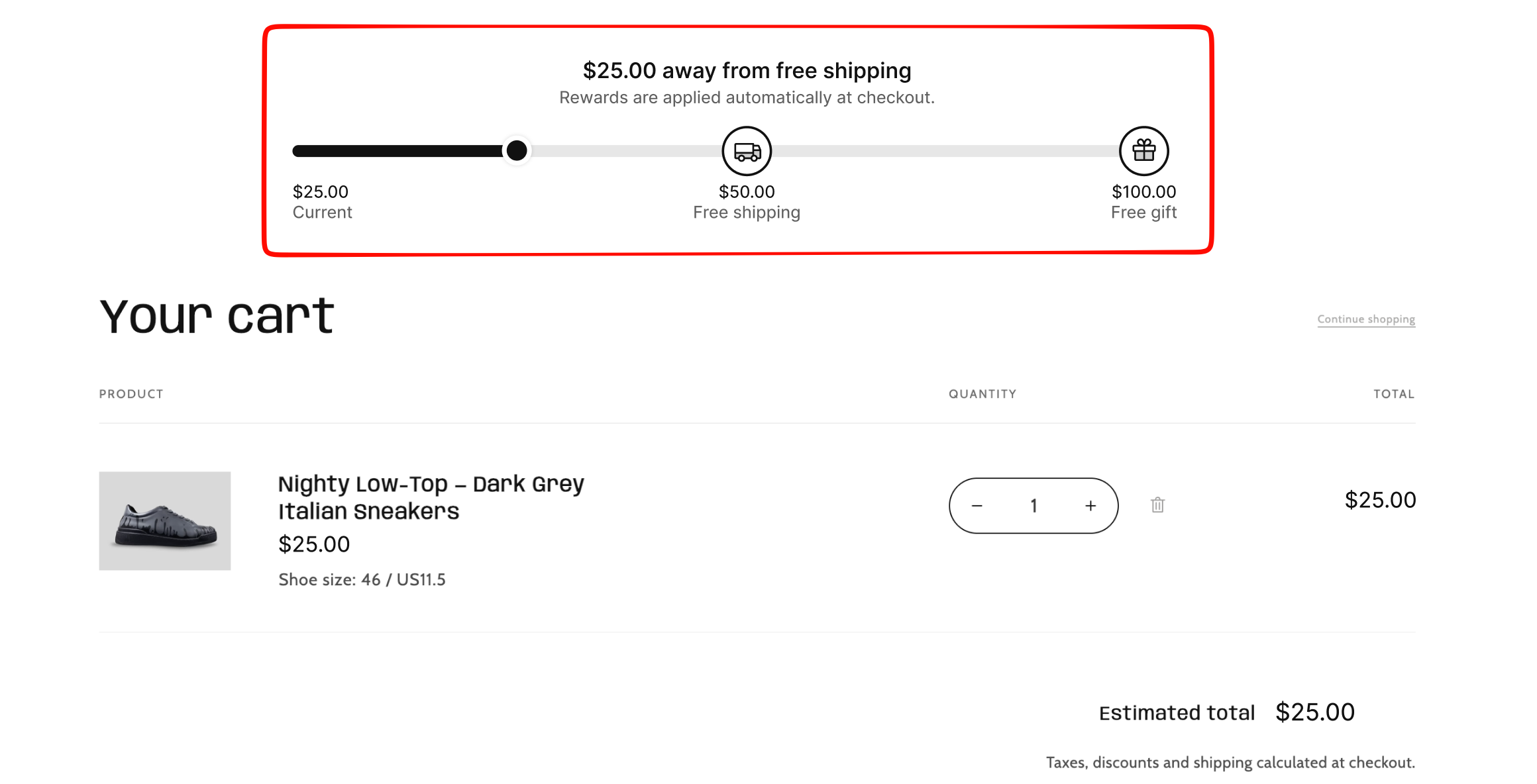
| Cart goal & rewards | Cart and cart drawer | A progress bar to free shipping or a free gift |
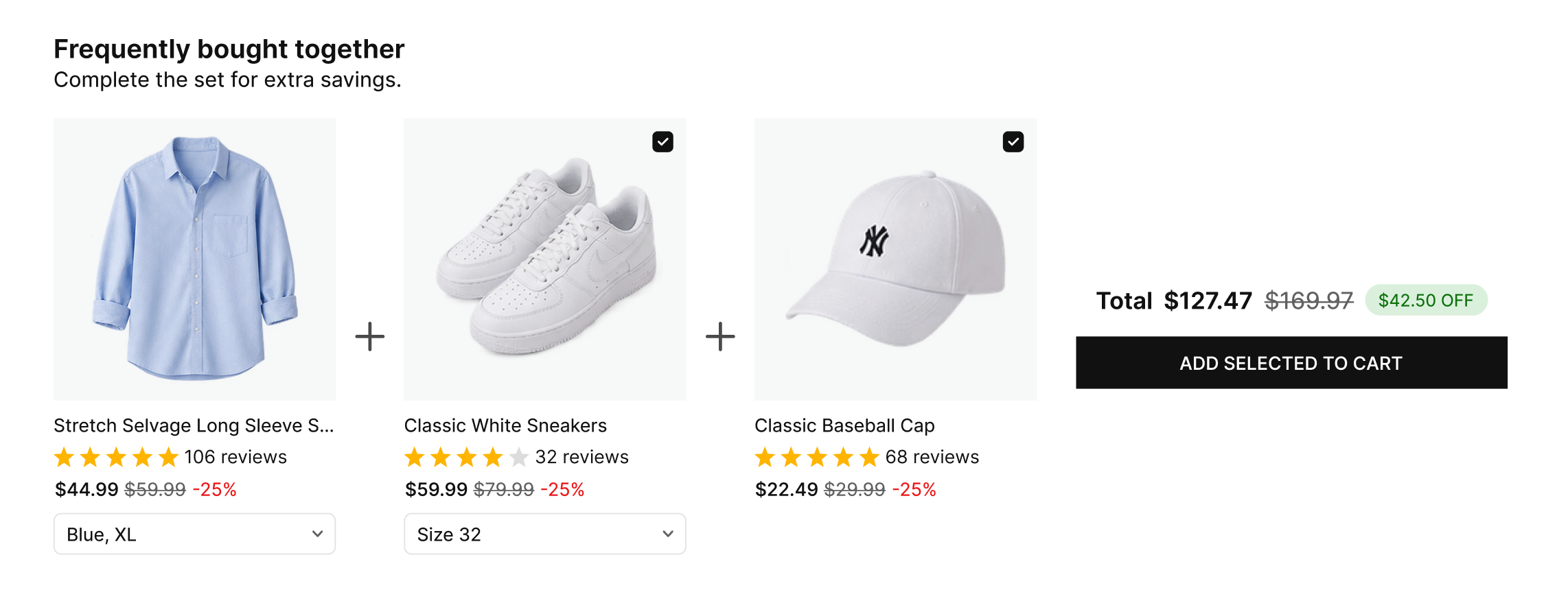
| Frequently Bought Together | Product page | Bundle your best sellers with items customers buy together |
| In-cart cross-sell | Cart and cart drawer | Last-minute add-ons such as gift wrap or accessories |
| Post-purchase offer | After payment | A one-click extra added to the same order |
| Thank you page upsell | Thank you page | A lighter offer that starts a new cart |
Set it up:
- Go to Upsells → Offers → Create offer and choose a type. Start with Cart goal & rewards: set a free-shipping tier a little above your average order value and a gift or discount tier above that.
- For Frequently Bought Together, keep the default AI co-purchase option. It suggests products your customers actually buy together, based on your completed orders.
- Set the discount (new offers start at 10% off) and save. New offers go live as Active.
- On the Widgets tab, add each widget to your theme or checkout, then turn off Test mode in Settings so shoppers can see your offers.
Holiday use case: “Spend $X more for free shipping” gives deal hunters a clear reason to add one more item, without a site-wide price cut.
BFCM tip: Settings → “Pause offers when a discount code is applied” is on by default, because Shopify allows at most 5 codes per order. If your Black Friday sale runs on a discount code, decide whether shoppers using it should still see your offers.
5. Turn holiday buyers into referrers
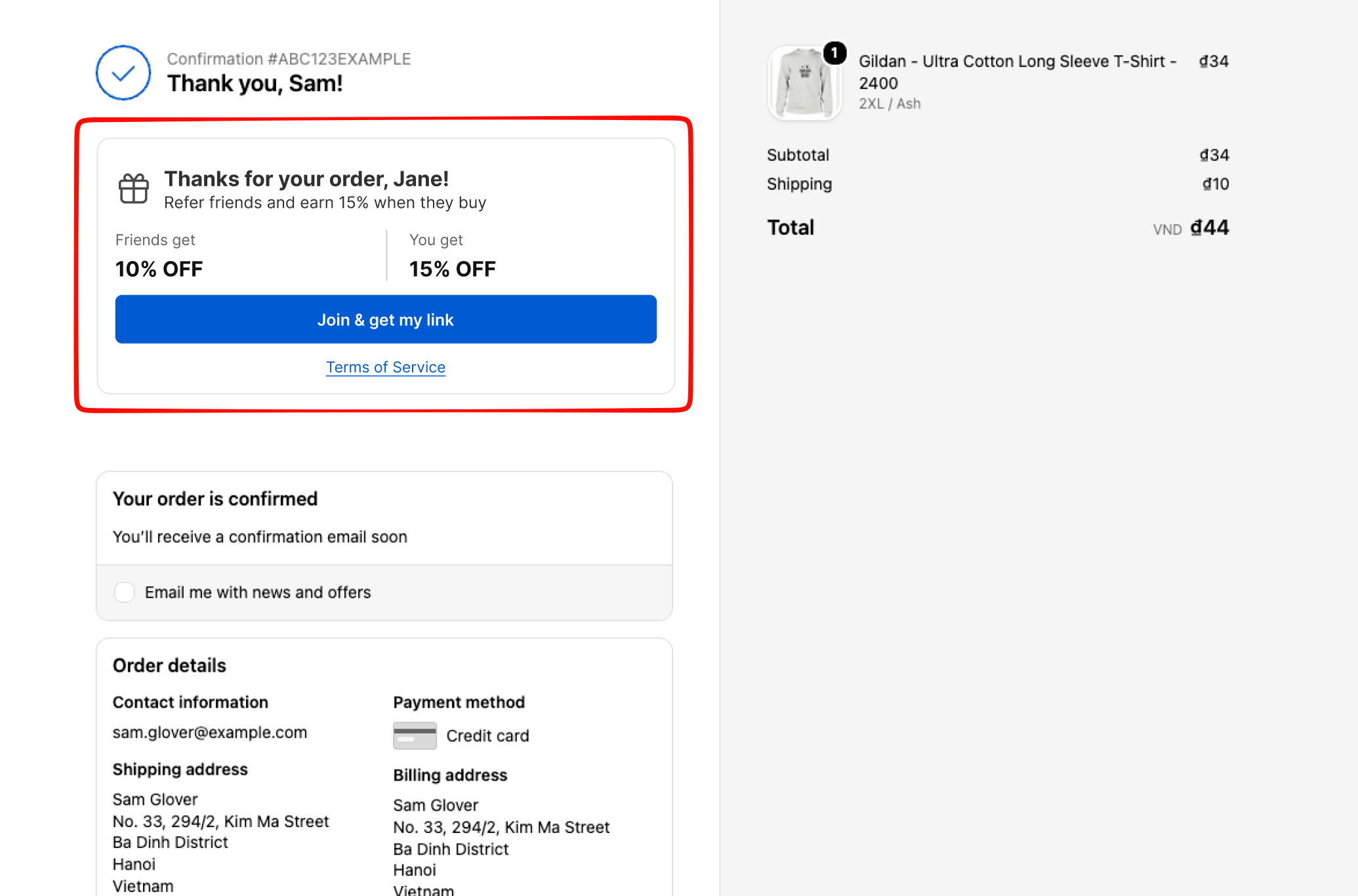
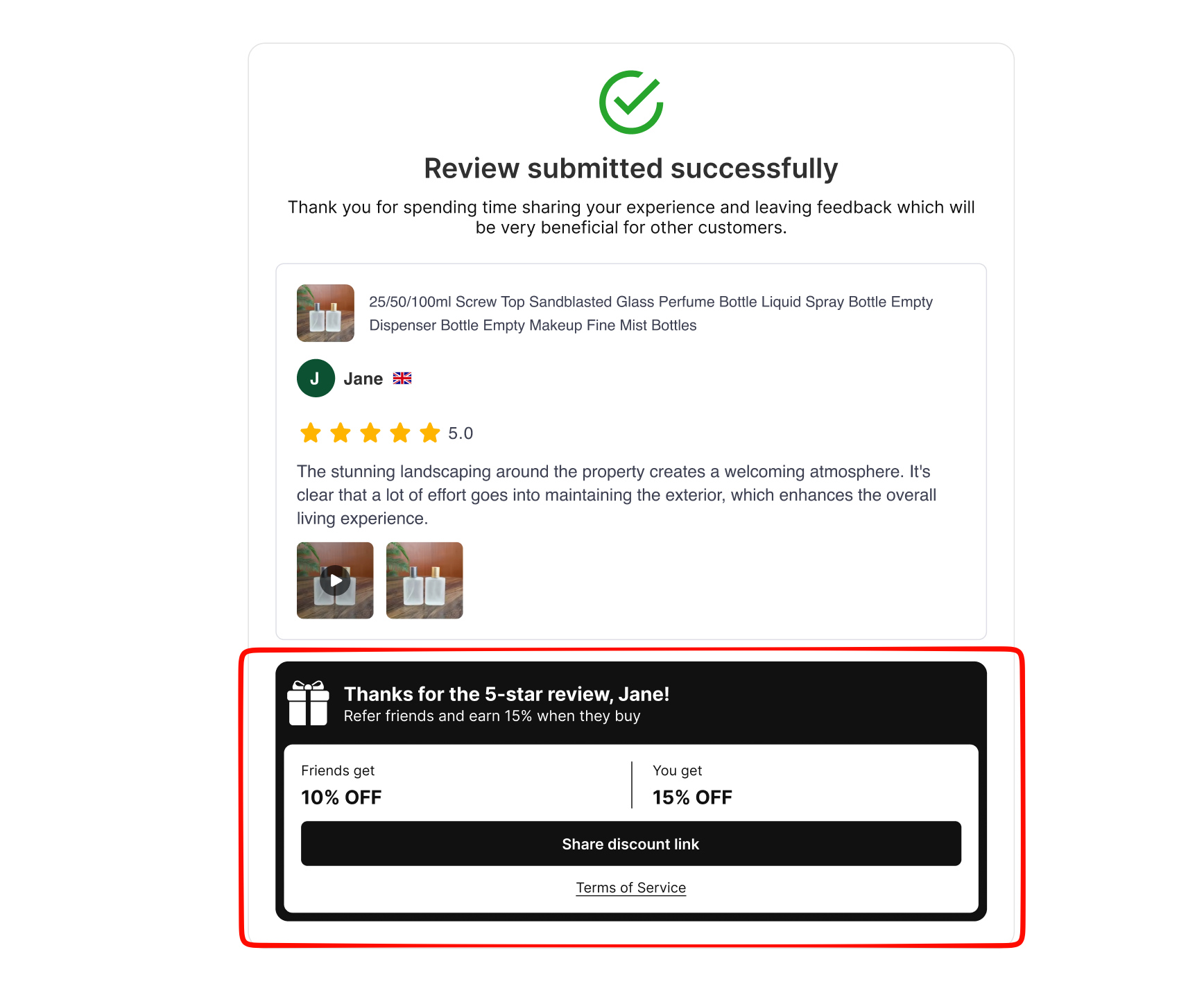
Holiday customers are your best source of January customers. Referrals gives them a link to share: their friend gets a discount, and they earn a reward when the friend orders.
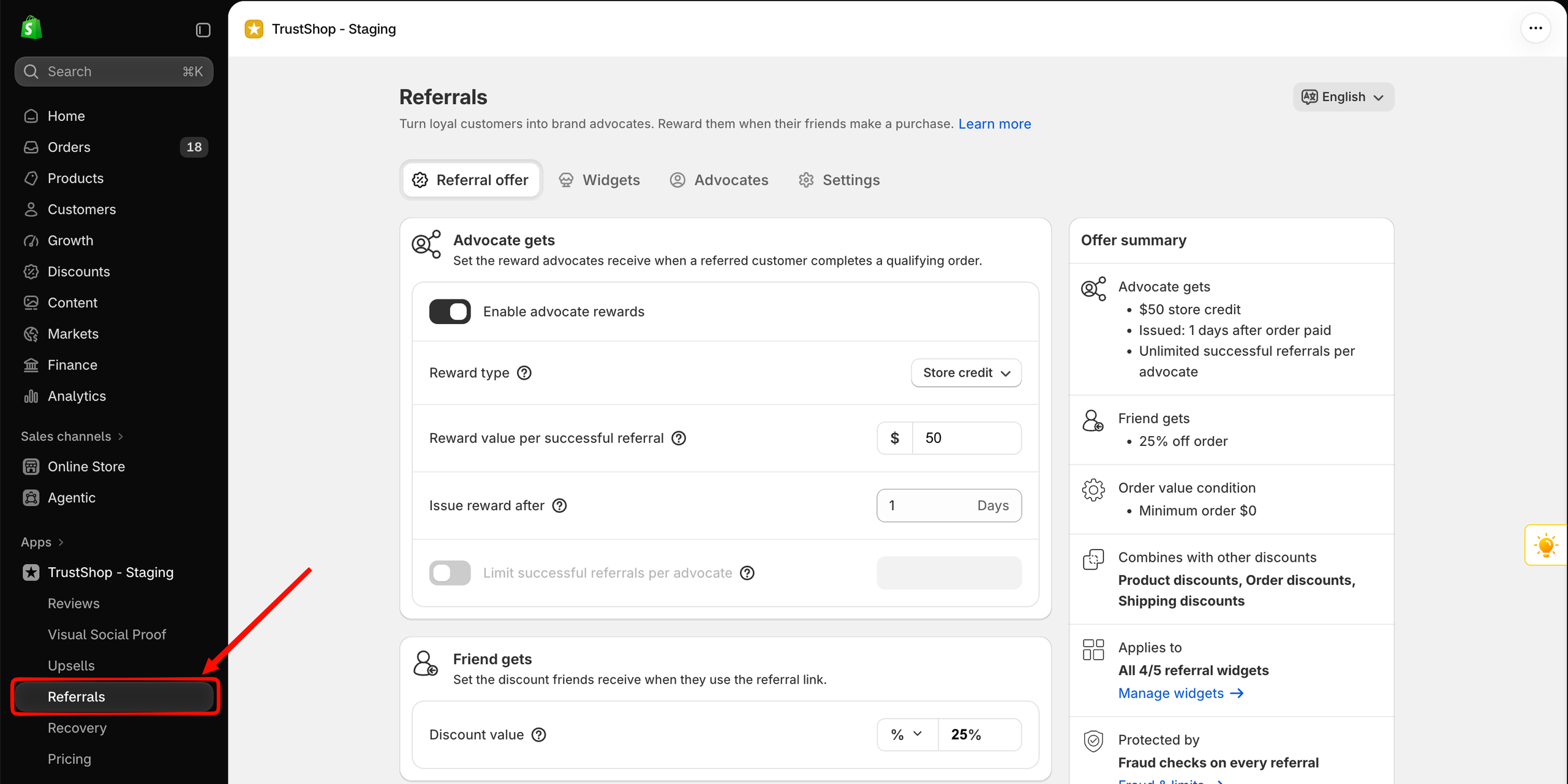
Set it up (the setup takes about 2 minutes):
- Open Referrals and go through the four steps: Welcome, Define your referral reward, Choose where to invite customers, Add Referrals to Customer Account.
- Set the rewards. If you keep the defaults, advocates earn an order discount worth 10 in your store currency and friends get 15% off, issued 7 days after the order is paid.
- Keep the Post-Review widget on. It invites customers to refer a friend right after they leave a review of 4 stars or more.
- Click Finish. Skipping the setup does not activate the program.
Holiday use case: “Give your friends 15% off their holiday gifts” fits the season, and fraud protection (self-referrals, matching IPs, coupon scrapers) is always on.
Your final checklist before November 27
- Best sellers filled up with imported or requested reviews
- Review request emails on, with delays adjusted for holiday shipping
- Review Display widget and star ratings live on product pages
- Review carousel or customer photo gallery on your homepage
- AI summaries published and visible, translation turned on (AI-Powered)
- Cart goal offer live, with Test mode off
- Referrals setup finished
After the rush: keep the momentum in December
Holiday orders bring a wave of new reviews in December. Reply to them quickly, with AI if you like, and publish new AI summaries as more products reach 10 reviews. Keep your review rewards and referrals running, so holiday buyers come back for their own shopping or send their friends your way.
Ready to get started? Open TrustShop in your Shopify admin and begin with step 1. Happy holidays and happy selling!