


The gift season does two things to a store. Your bestsellers run out before you can restock them, and most of the people who came looking leave without giving you any way to reach them. October went into both of those problems.
Two releases went out during the month. For release-by-release details, see our changelog.
Turn a sold-out product into a sale
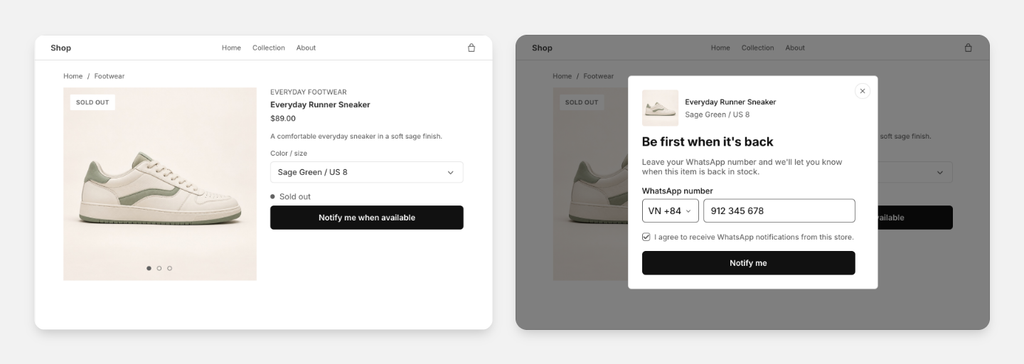
Shoppers can now ask to be told when a product comes back, right on the product page. They subscribe to the exact variant they want, so the person looking at a sold-out medium in black is waiting for that medium in black, not for the product in general. The signup follows the variant a shopper selects, and it appears where the Add to cart button would be.
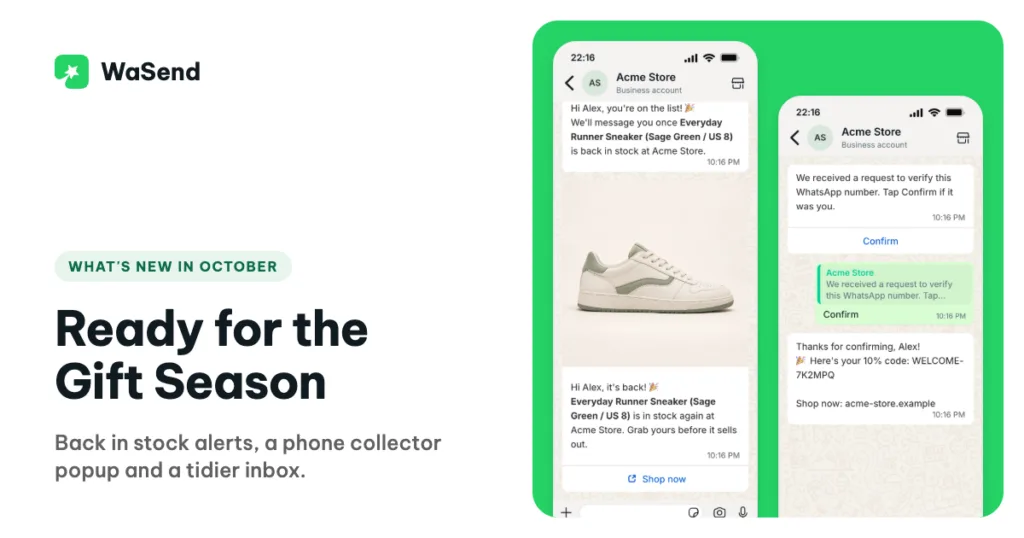
When that variant goes back above the stock level you set, WaSend messages everyone on the list, with the product photo and a Shop now button. You do not have to remember who asked, and you do not have to export anything.
Asking for an alert is not the same as agreeing to marketing. The shopper ticks a box to receive WhatsApp messages, and you can also have WaSend send a confirmation on WhatsApp that the shopper has to reply to before the subscription becomes active.
Before any of it goes out, you can preview the alert exactly as a shopper will receive it.
Let the waiting list tell you what to restock
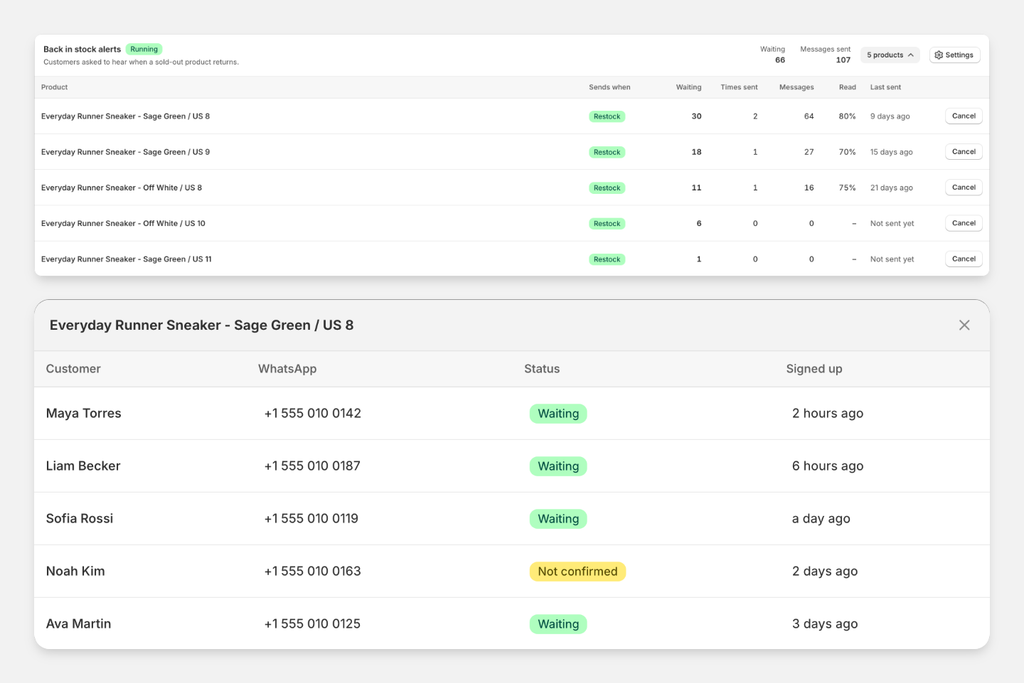
Every product now has a waiting list you can read. It shows who is waiting, how much revenue those shoppers are likely to bring, and, when someone was not alerted, why not.
That is a demand signal most stores never had. Sorting by demand tells you which sold-out variant has thirty people behind it and which has one, so a restock decision stops being a guess about last season.
The alert campaigns sit next to your broadcasts, with the number of shoppers waiting and the messages sent and read. You can manage signups from there, and cancel a waiting list when you are not bringing a product back.
Turn store visitors into subscribers you own
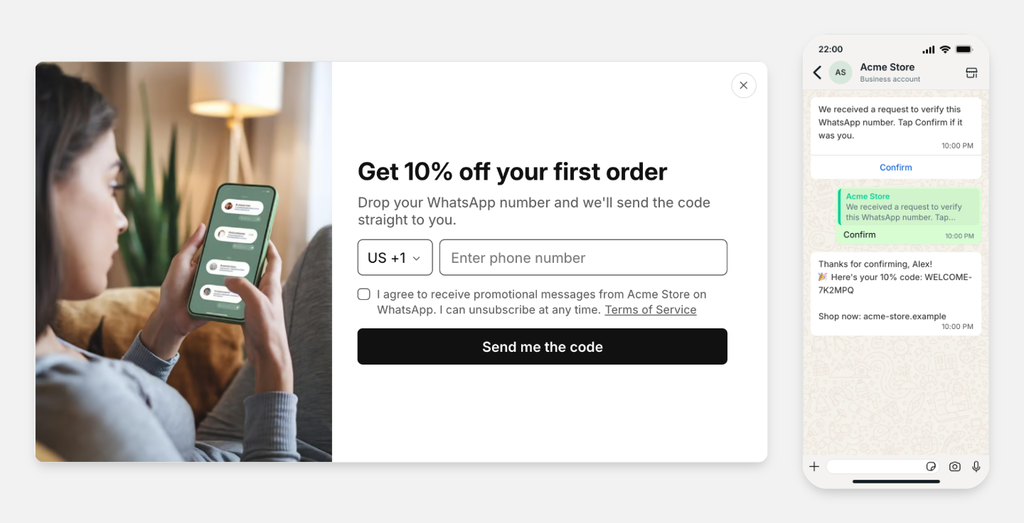
Most visitors never buy on the first visit, and once they close the tab they are gone. The new phone collector popup asks for a WhatsApp number instead, so you keep a way to talk to them.
Leaving a number is only the first half. WhatsApp’s rules say you may message people who have agreed to hear from you, so WaSend sends a message with a Confirm button and waits for the shopper to tap it. Only then do they become a subscriber. That one tap also filters out the numbers people type by mistake, and the numbers that belong to somebody else.
Once a shopper confirms, they get a welcome message with a discount code. You set the offer and how long it lasts, and a shopper who loses the code can send /discount on WhatsApp to get it again.
The popup is yours to shape: the copy, the colors, a banner picked from your Shopify file library, and where and when it appears. A small launcher lets shoppers reopen it later. You can preview it on desktop and on a phone, and run the whole signup flow yourself before you turn it on.
Shoppers see their own language, and their own price
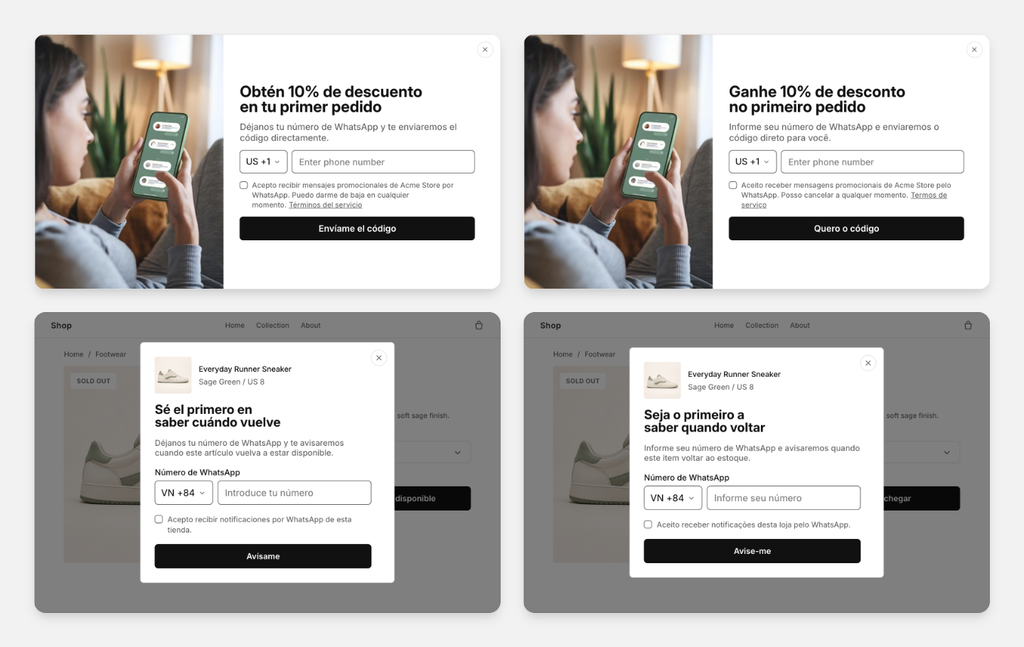
The signup popup and the back in stock widget now appear in the shopper’s language, and fall back to your store’s default language when a translation is missing. For a store selling into several countries, that is the difference between a popup that reads like part of your shop and one that reads like a plugin.
Prices follow the same idea. A signup records the shopper’s country and market, so the back in stock alert quotes the price that shopper actually saw on your site, not a converted number that surprises them at checkout.
A quieter, tidier inbox
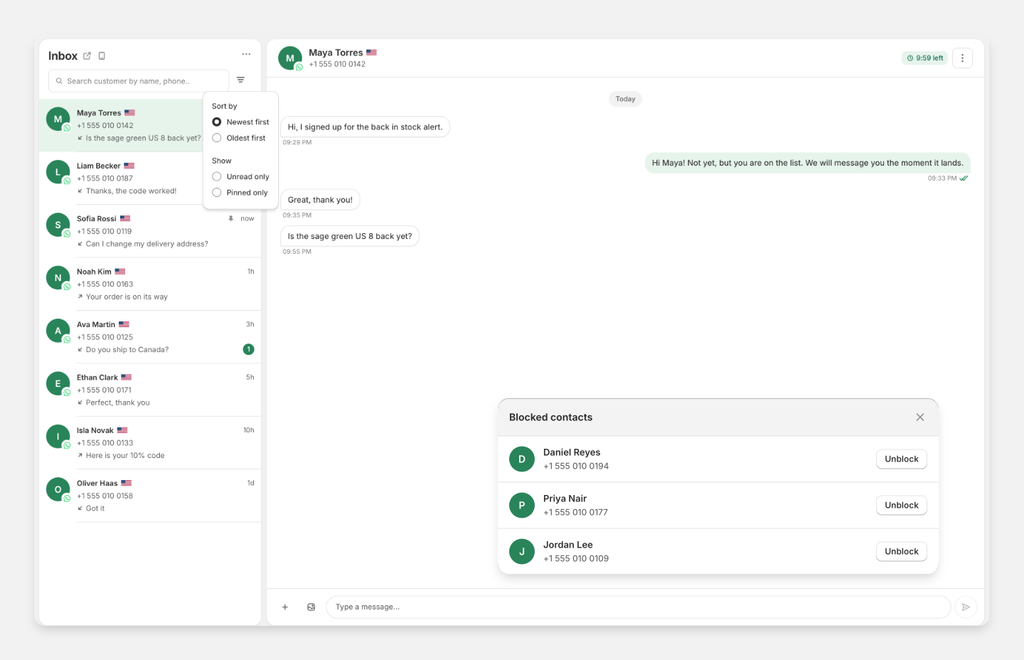
When the messages pick up, finding the one that matters takes longer. You can now filter conversations for unread or pinned chats, and search by a customer’s full name.
You can also block a contact from the conversation sidebar. WaSend then stops sending to that number on any connection, and the blocked contacts sit in their own list in the inbox menu, where you can let someone back in.
The WhatsApp chat button on your storefront has changed job. It used to be a button that opened a chat; it is now a place where shoppers opt in to hear from you, and it uses the number you have connected. Greeting rules have their own tab, and the business hours you set are shared, so the same hours pause the automatic greetings on the chat button and on chats that start from your ads. If you need us, the WhatsApp number tab now has a card that opens a chat with our team.
Know the state of every campaign and automation
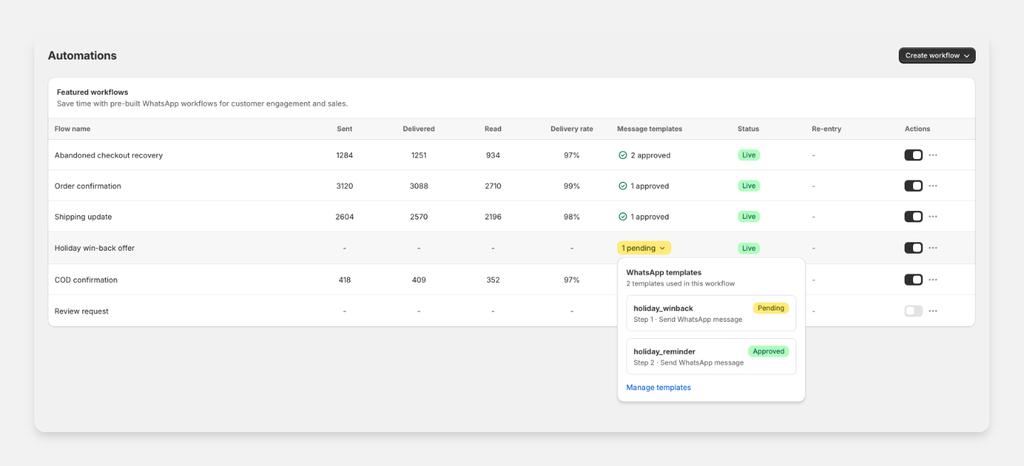
Meta has to approve a message template before it can be sent, and until October you could not see from your automation list that one was still waiting. Now each flow shows its trigger and tells you when a template is pending, rejected, or carrying a warning, so a flow that looks switched on cannot sit there quietly sending nothing.
Broadcast history gained filters too: search by name or phone number, and narrow the list to the delivery statuses you care about. A broadcast that paused because you ran out of credit now continues on its own once you top up, instead of waiting for you to start it again.
Two things for anyone spending on ads. Reports can be pointed at one Meta ad account and are shown in that account’s currency, and the customer page shows where your customers came from with real counts next to each source.
Have questions or feedback? Contact us at [email protected], or message us on WhatsApp from the app.