


Black Friday is a little over three weeks away. Between now and the end of November, more strangers will land on your product pages than in any other month of the year, and most of them will decide in a few seconds whether your store is worth their card details. September and October went into that moment: bigger carts, more reviews with less work on your side, and real customer photos sitting next to your products.
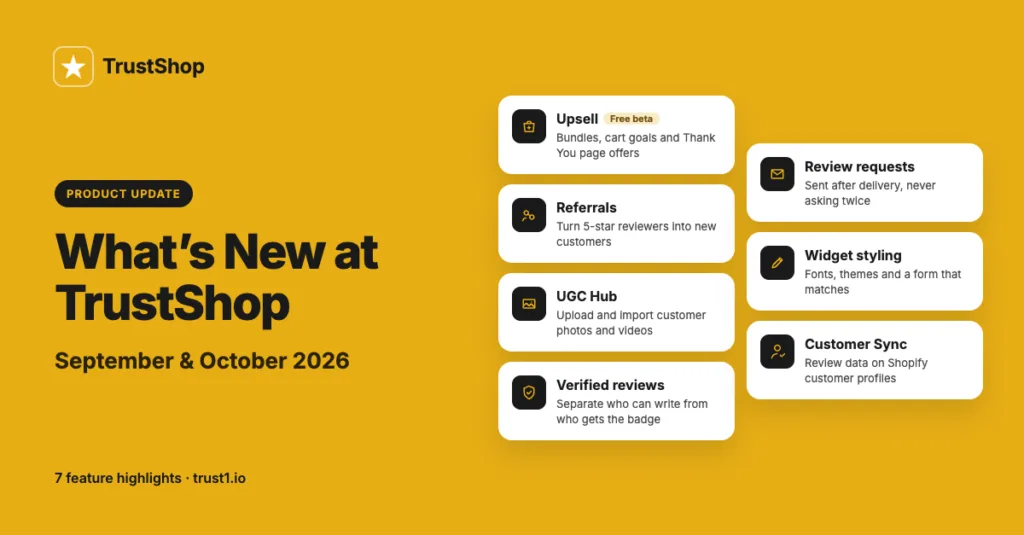
Five releases went out across the two months. For release-by-release details, see our changelog.
Raise the value of every order
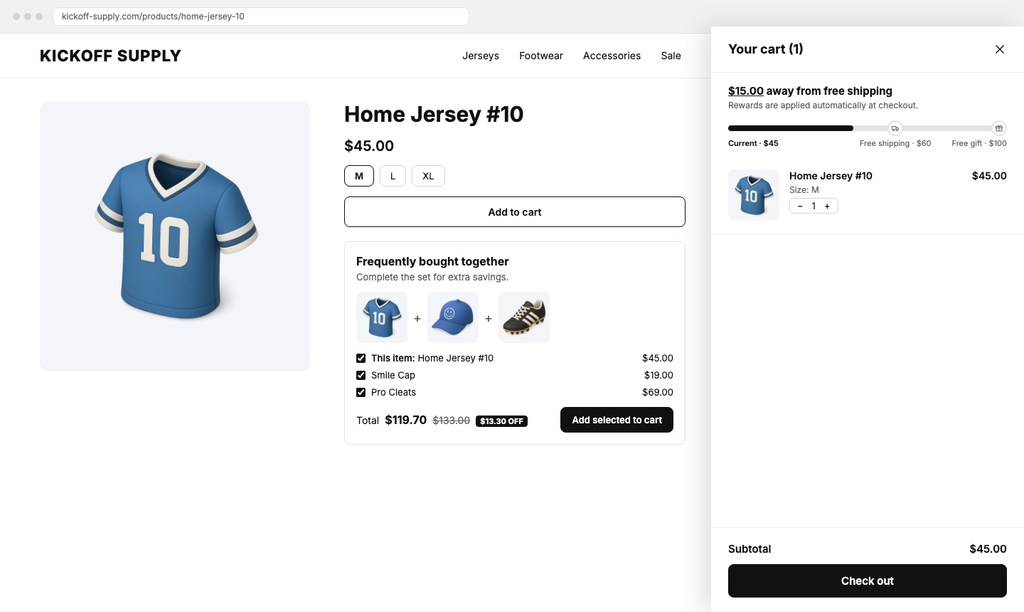
The Upsell module opened in public beta in September. Your traffic is the expensive part of a sale, so the cheapest growth you have left is making each order a little larger.
Upsell gives you four kinds of offers. Frequently Bought Together bundles sit on the product page. Cross-sells appear in the cart drawer or on the cart page. Cart goals show a progress bar that unlocks a reward when a shopper spends a little more, such as free shipping, a discount, or a free gift. And you can put an offer on the Thank You page, where a customer has already decided to trust you.
Upsell is free for every merchant during the beta, until we announce pricing.
Turn your happiest reviewers into new customers
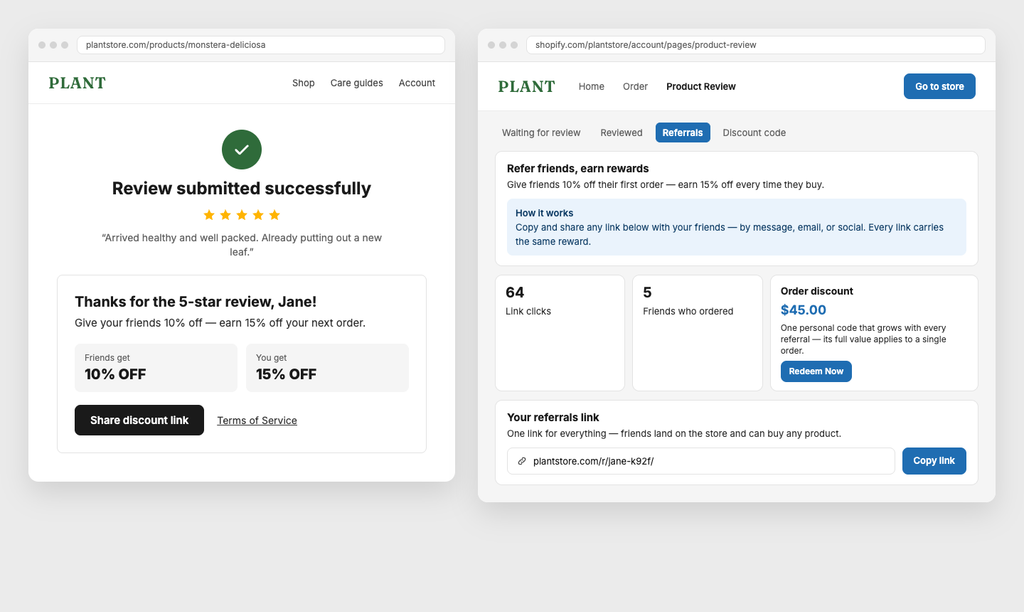
A customer who has just written you a five-star review is the easiest person in the world to ask for an introduction. In October, Referrals gave you a way to ask.
A guided setup walks you through your program. You set the reward for each side separately: what the advocate gets for sharing, and what their friend gets for buying. You choose between an order discount and store credit, and you decide how long to wait after an order is paid before the reward is issued. If a referred order is refunded, the matching reward is pulled back.
You can put the invitation in four places: right after a customer submits a positive review, on the order confirmation screen, anywhere on your store as an embedded block, or in a pop-up. Each customer keeps one referral link. Fraud rules sit underneath all of it, so anything suspicious is held for your approval instead of paying out quietly. Advocates get their own page inside their customer account, where they can see their link, the invitations they have sent, and the rewards they have earned.
Put real customer photos and videos next to your products
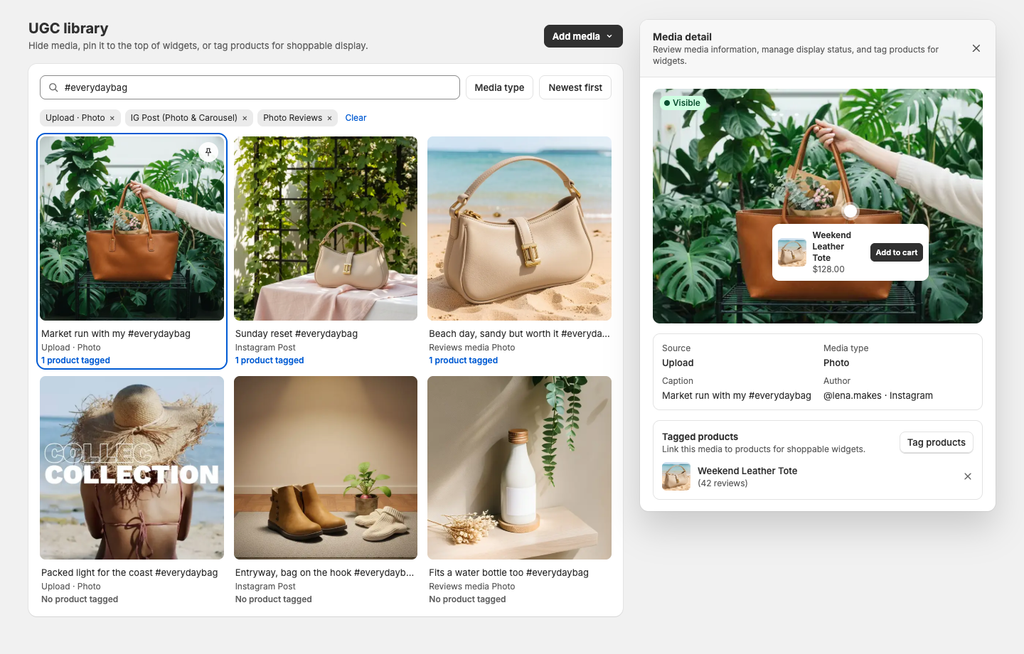
Shoppers believe other shoppers. A photo taken in someone’s kitchen or garage does something your studio shots cannot, and the UGC Hub is where you collect that user-generated content (UGC) and put it to work.
You can connect Instagram and TikTok, and pull in the photos and videos that already arrive with your reviews. As of the end of October you can also upload files directly from your computer and import media from a URL, which covers everything your customers send you by email or chat. Searching and filtering by hashtag, account, or tag makes a large library usable, and you can tag products to a piece of media so a shopper can buy straight from it.
Direct uploads work on every plan, including Free. For the longer story, read our post on Visual Social Proof.
Make it obvious which reviews come from real buyers
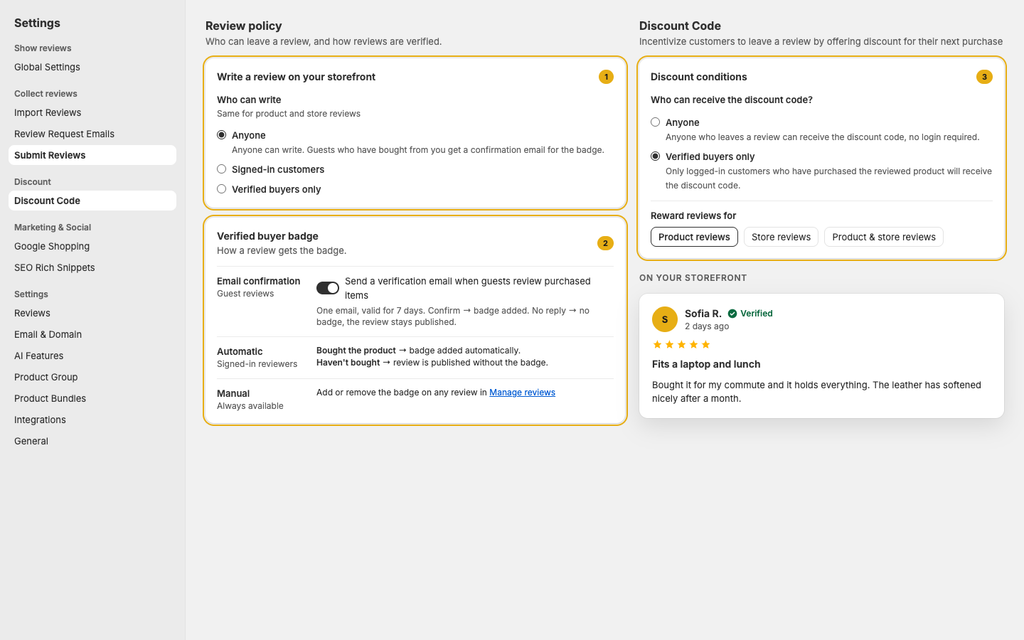
A page of five-star reviews from nobody in particular does not convince anyone. In October we split the question of trust into two settings you control separately: one decides who is allowed to submit a review on your storefront, the other decides which reviews earn the Verified badge.
Keeping them apart matters. You can leave the door open to everyone, so you keep collecting volume, while reserving the Verified badge for people who actually bought the product. Or you can tighten who may write and still award the badge generously. Review management can also identify likely spam now and move it to Archive, so you are not reading through it by hand.
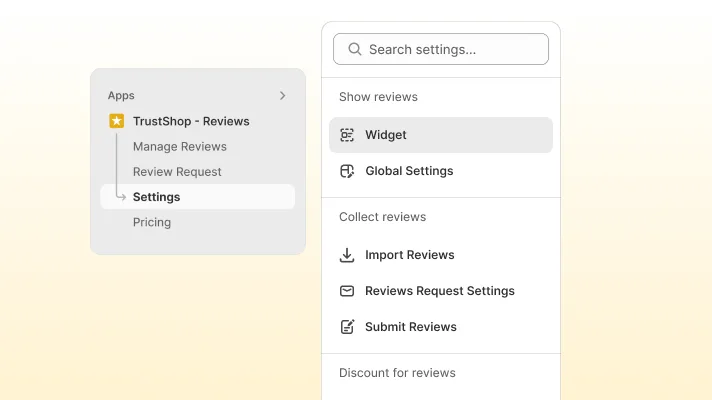
Discount rewards follow the same idea. You can limit the discount a reviewer earns to verified buyers, or open it to anyone, and all of the discount rules now live in one place under Settings → Discounts. Your widgets handle design, copy, and layout only. The verification controls and the spam archive are on the Unlimited and AI-Powered plans.
Collect more reviews, with less friction
Four changes here, and they add up.
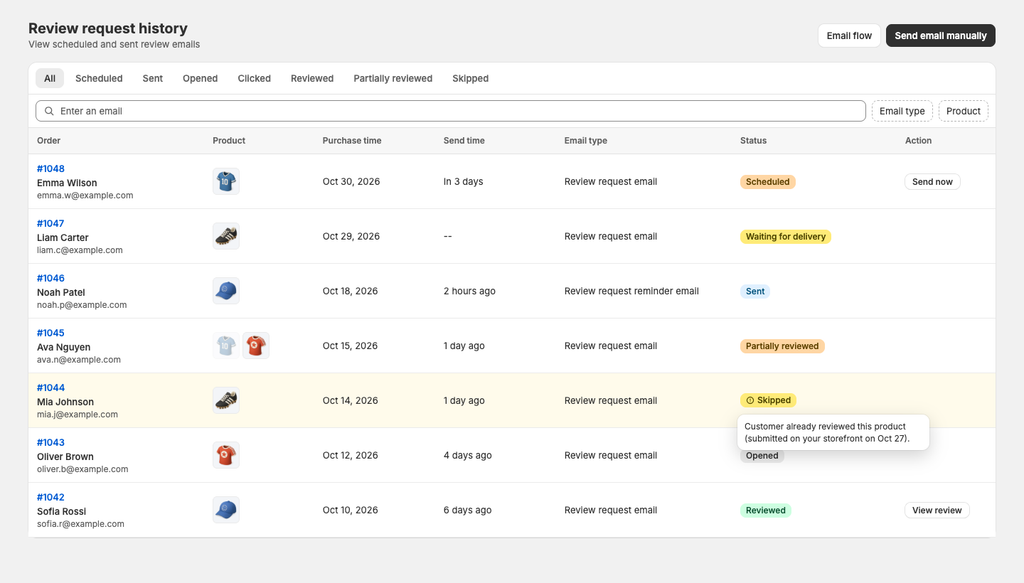
First, timing. Review request emails are now triggered by Shopify’s delivery event, so the email arrives after the parcel does, not while it is still in transit. That replaces the old AfterShip integration, which has been retired.
Second, no asking twice. The check now runs at the moment of sending, against every review in your store, no matter where it came from: the storefront, a QR code, or the customer account page. On an order with several products, only the reviewed product drops out and the email still goes out for the rest. When a request is skipped, you can see that it was skipped and why.
Third, more ways to ask. QR codes and share links now work for store reviews, not just product reviews, and those pages follow your store’s own typography and colors. Customers who arrive through a shared link are no longer asked to log in when they should not be.
Finally, the reviews you already have. Bulk import accepts XLSX files as well as CSV, so a spreadsheet from another system goes in without being converted first.
Widgets that match the rest of your store
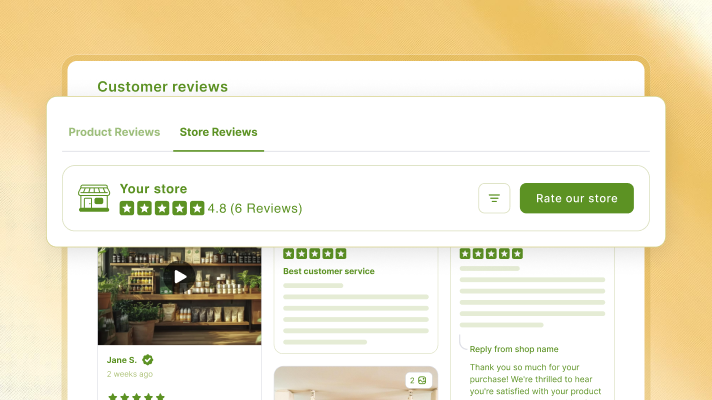
September’s release opened up widget styling: font family, font size, spacing, and preset color palettes, plus a slider layout for your review list, relative timestamps such as “2 days ago”, and a tool to rotate and flip review photos that are the wrong way up. The AI review summary now takes its colors from your theme instead of its own.
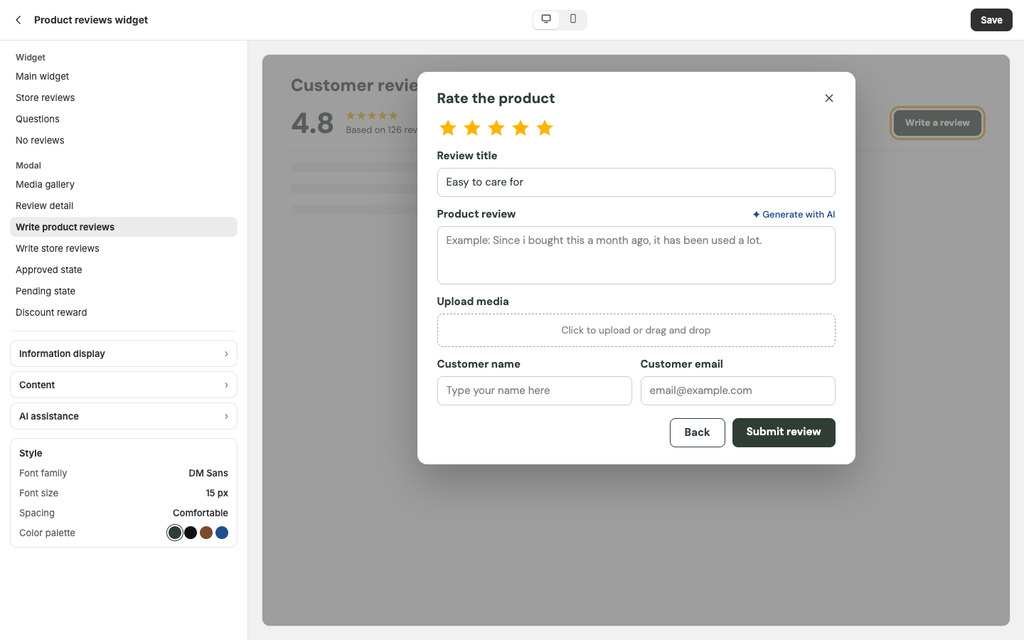
October finished the job in the one place that was still left out. The form your customers fill in used to be styled separately from the widget it sits in, so you would get your widget right and then find the form looked like something else on your live store. The form is now part of the same widget and shows up in the preview when you click “Write a review” in the editor.
Two smaller things came with it: review photos zoom slightly when a shopper moves the cursor over them, and widget text that automatic translation used to miss, including merchant replies, is now covered.
Use what you know about reviewers inside Shopify
Everything TrustShop knew about a customer used to stay inside TrustShop. You could not filter your Shopify customer list by it, and you could not use it in an email flow.
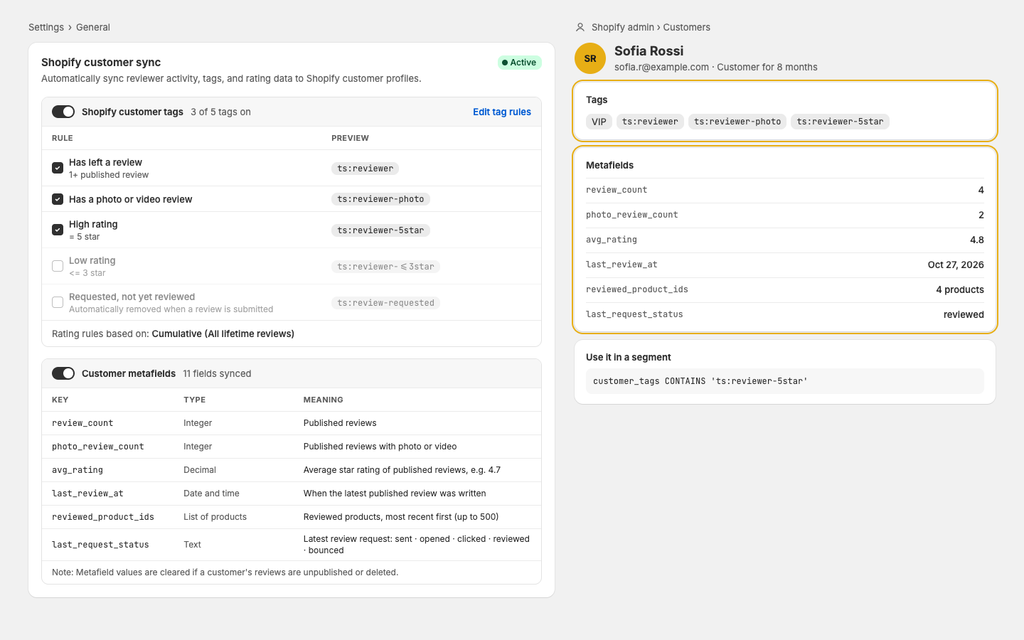
Customer Sync writes that information back to the Shopify customer profile in two forms. Tags, with a clear prefix, are there for you and for any tool that reads tags, so you can build a segment without reading documentation. Metafields hold the structured version, such as how many reviews a customer has written, their average rating, and which products they reviewed, for precise conditions in Shopify segments and Shopify Flow.
Every sync recalculates the customer’s full state from your review data rather than adding and removing tags one event at a time, so the profile does not drift out of date. Because this writes to your customer records, it is off by default on existing stores. Customer Sync is on the Unlimited and AI-Powered plans.
Three things that are not features
Our Black Friday and Cyber Monday (BFCM) offer is live: try the AI-Powered plan free for 30 days, then pay half price for three months. If you have been waiting to see what AI summaries, translation, and AI replies do to your conversion rate, this is a cheap month to find out.
For anyone who runs stores for other people, there is now a live status page at status.trustshop.io showing uptime and API health, so you do not have to open a ticket to find out whether something is down. Our API documentation is public too, including how to generate a review request link from your own system.
Have questions or feedback? Contact us at [email protected].