
Send WhatsApp today, from the number
you already have
No WhatsApp Business API account, no BSP approval, no credit top-up. WaSend pushes messages through a Chrome extension and WhatsApp Web using your own number, and logs every send.
How it works
Four steps from install to first message

Install the extension
Add the Chrome extension and open WhatsApp Web with your usual number.

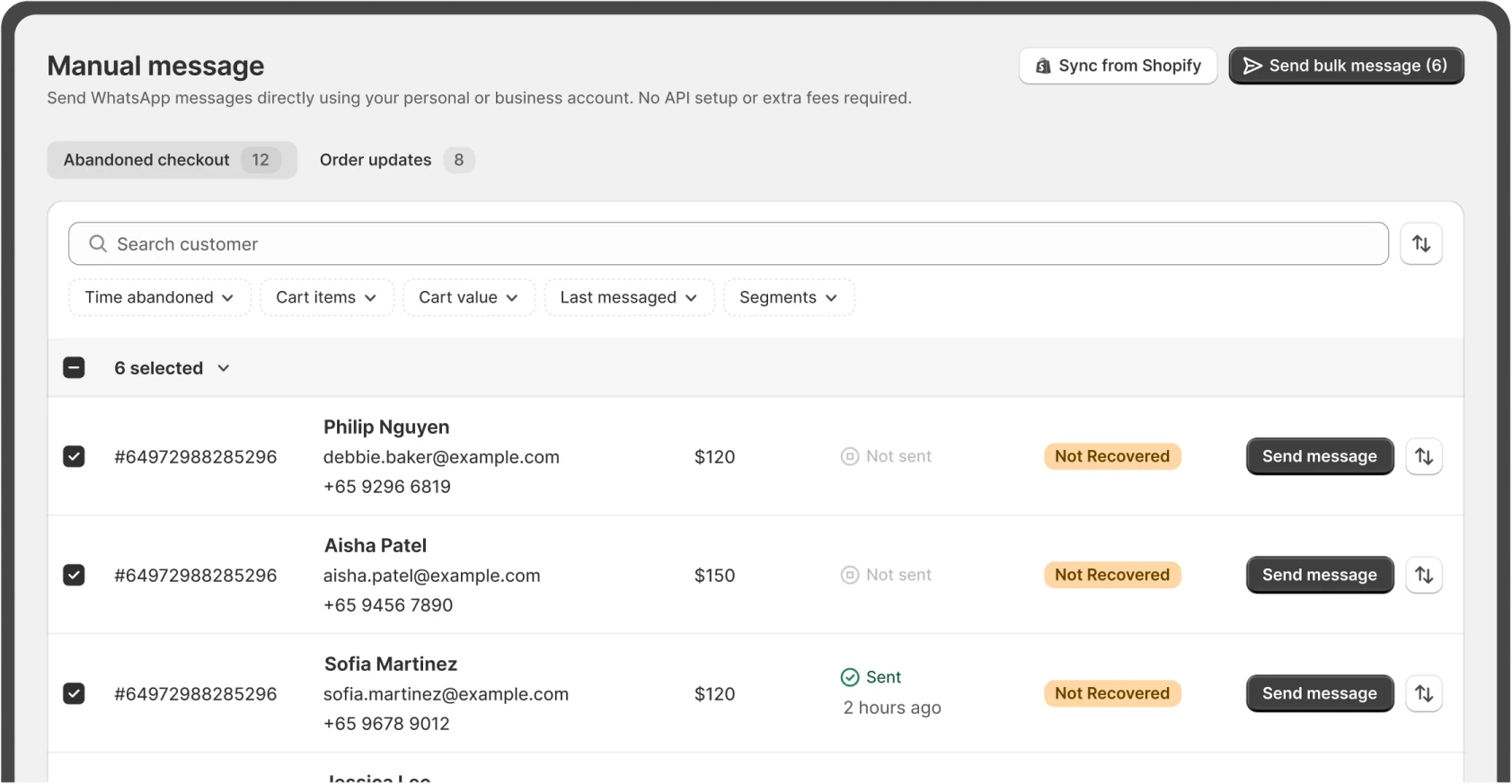
Sync from Shopify
Pull in orders and abandoned checkouts, with progress reported live.

Choose a template
WaSend fills in each customer’s variables — name, checkout link, order number.

Send in bulk
The batch goes to the extension and status moves from pending to sent or failed, refreshed every two seconds.
Manual send or the Cloud API?
Most merchants start on the left column and move to the right when volume justifies it. You can run both.
| Manual send | WhatsApp Cloud API | |
|---|---|---|
| Setup needed | Chrome extension | Embedded signup, or a BSP |
| Message fees | None | Meta conversation fees |
| Monthly allowance | Unlimited, all plans | Plan quota, then overage |
| Automations | Not available | Autoflows and triggers |
| Template approval | Not required | Meta approval required |
| Sending | You start each batch | Runs on its own |
FAQs
Can’t find the answer you’re looking for? Our team is here to help you with any questions about WaSend.
Contact UsYes. Manual send goes through WhatsApp Web from your own number, so message fees do not apply, and it is unlimited on every plan.
Yes. You are still messaging customers from your own number, so only contact people who have agreed to hear from you, and stop when they opt out.
Yes, whenever you are ready for automations and broadcasts. Connecting a number to the Cloud API is a separate step, and our team can walk you through what it means for that number before you switch.