
Confirm every COD order
before it ships
Cash on delivery brings in customers who would never pay online, and it brings in fake orders and failed deliveries. You pay the courier either way. One WhatsApp message settles it before anything is packed — and offers the customer a prepaid option that turns a risky COD order into a paid one.
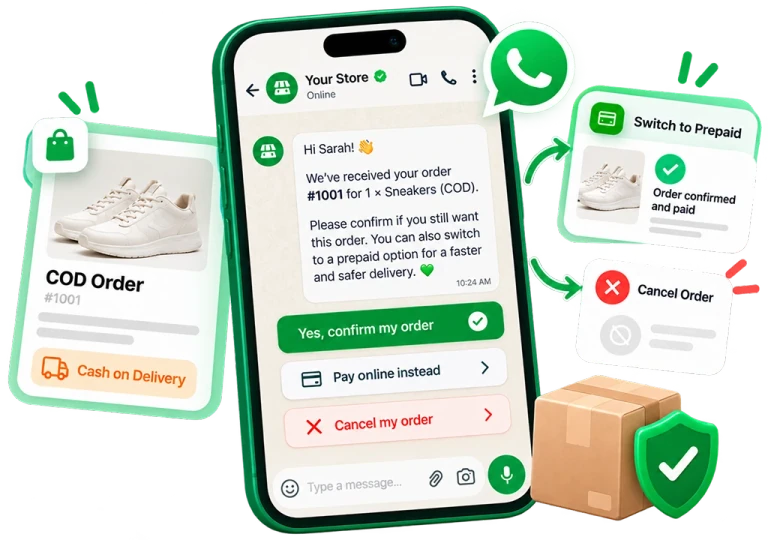
How it works
Three steps, then your packing list is clean

The order arrives
The order_confirm_cod autoflow triggers on a new order and sends the COD confirmation template.

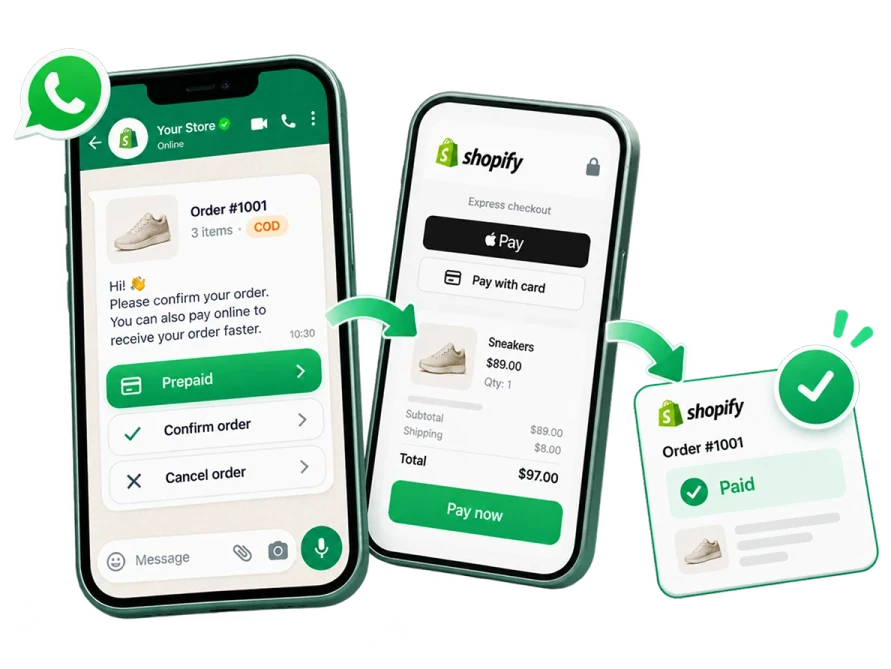
The customer picks one of three
Prepaid, confirm, or cancel. Confirm and cancel are quick replies — one tap, no typing. Prepaid opens a payment page.

You act on the answer
The reply lands in the shared inbox with the order beside it. Cancellations never reach the courier.
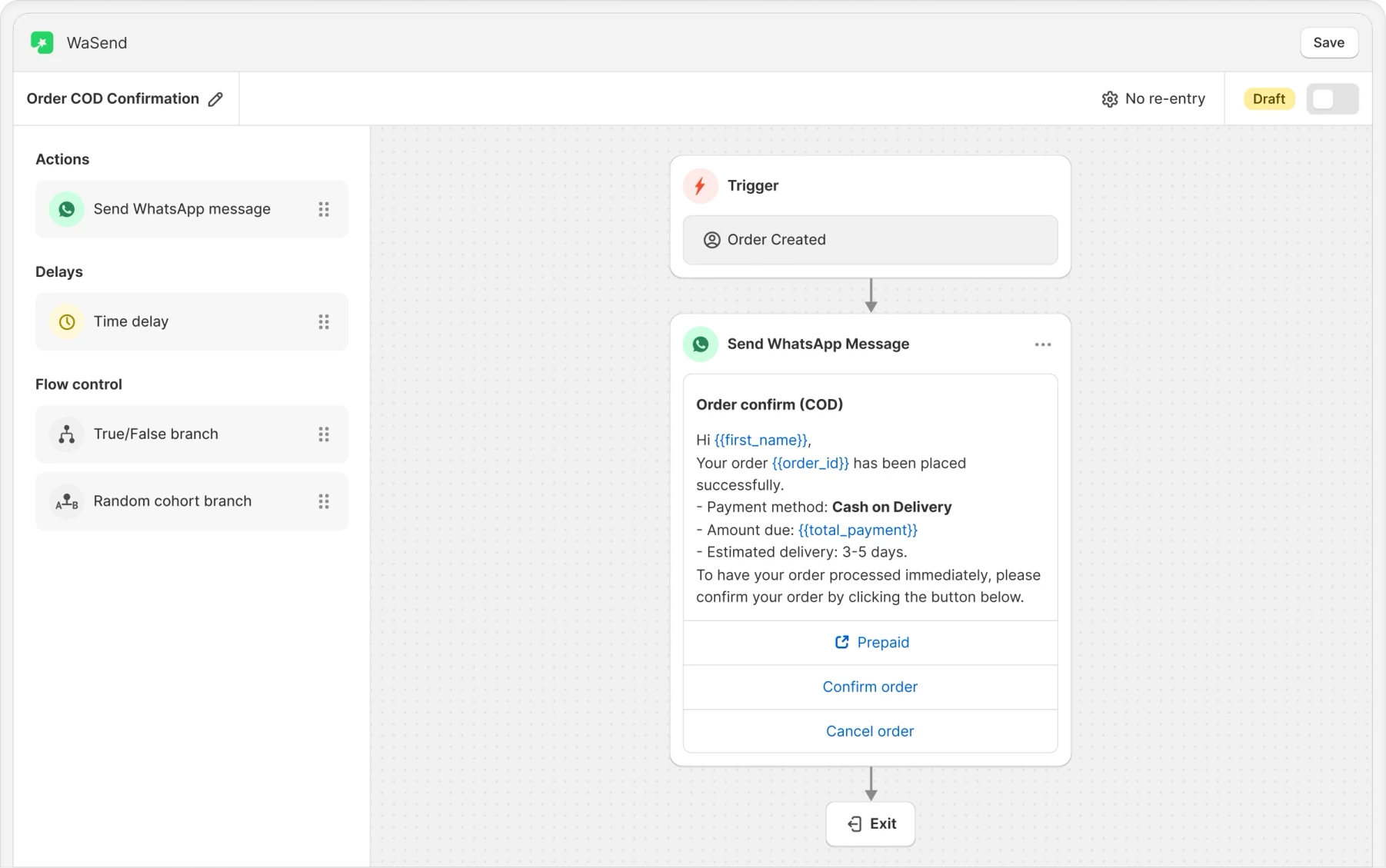
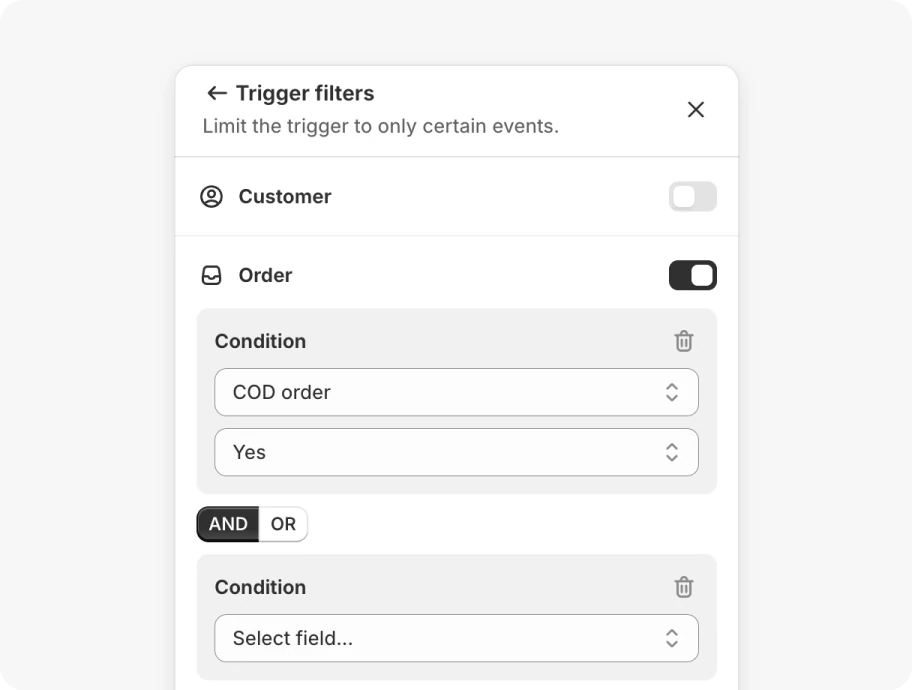
Trigger COD workflows with advanced filters
Fine-tune your COD confirmation rules to match your store’s exact fulfillment strategy and risk tolerance.
- Granular Order & Customer rules: Combine parameters like order value, shipping location, item counts, or purchase history.
- Flexible AND / OR logic: Set multi-condition triggers to target first-time buyers while keeping trusted repeat customers fast-tracked.
- Smart COD isolation: Use the one-click COD order filter to automatically separate Cash on Delivery from prepaid checkouts.
See ad spend turn into conversations, then orders
Connect your Meta ad account and WaSend follows Click-to-WhatsApp traffic through the whole funnel: ad clicks, conversations, replies, orders. Greeting rules and business hours answer the moment someone clicks.
- Conversations
- From every campaign
- Cost per lead
- Spend against leads
- New leads
- Tagged in the inbox
- Replied under 24h
- Team response rate
FAQs
Can’t find the answer you’re looking for? Our team is here to help you with any questions about WaSend.
Contact Us